Chapter 5 PROGRAMING MODE
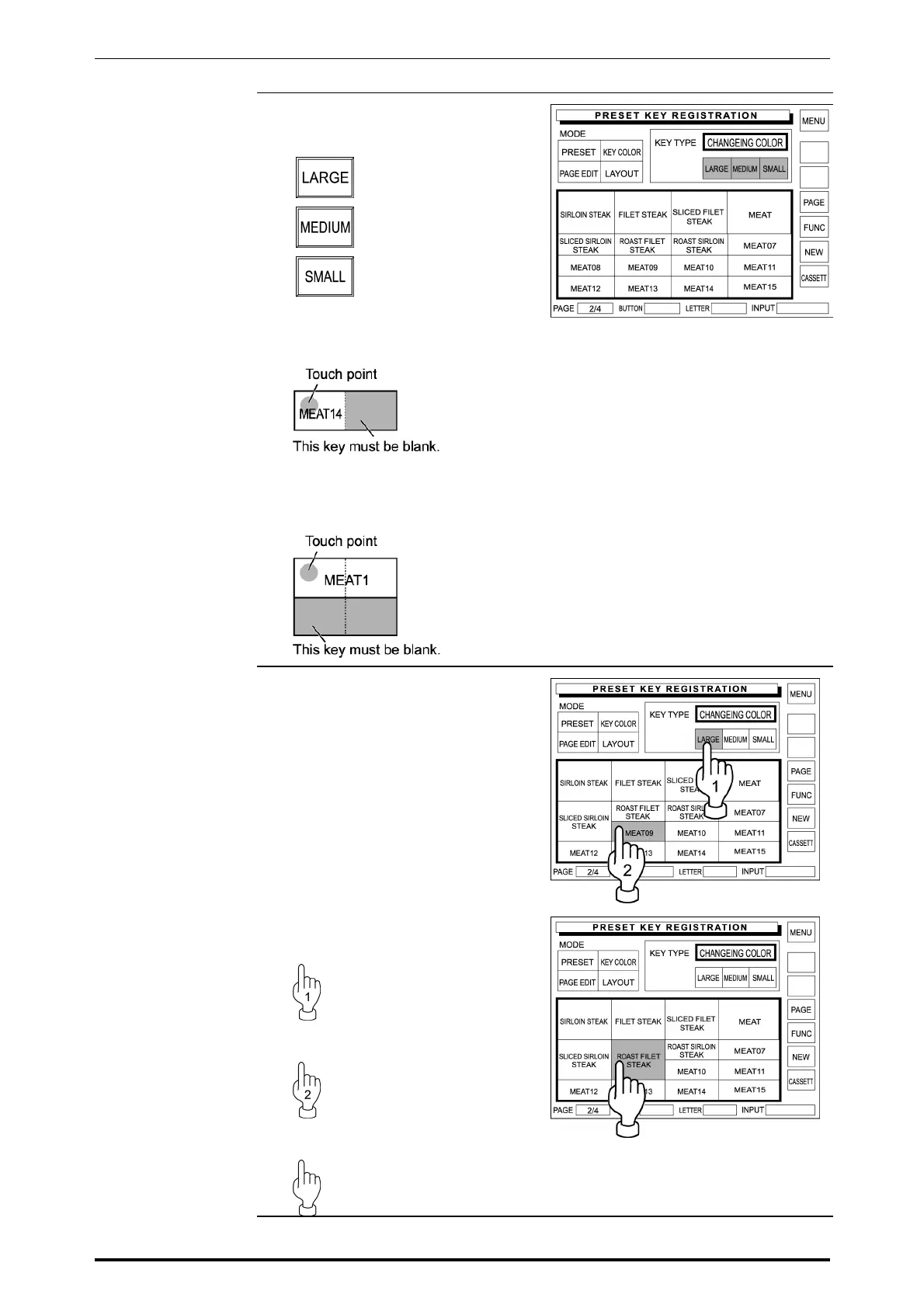
4. Touch [LARGE], [MEDIUM], or
[SMALL] to select the key size.
Quadruple size
Double size
Single size
Example: Single size to double
size.
Example: Double size to
Quadruple size.
5. When trying to make a key larger,
confirm that the covering keys are
all blank.
If not, delete these keys first by
referring to steps 1 through 9 in
section 5.7 “Preset Keys
Registration”.
Example: “Roast Filet Steak” key
to quadruple size.
In this example, confirm that
[LARGE] is selected in the above
step.
Then, delete the existing “MEAT09”
key.
Next, touch [ROAST FILET
STEAK] key on the screen.
SR-2000α User’s Manual (No. 0000A) 5-33



 To Next Page