Chapter 3 TOTAL ADJUSTMENT MODE
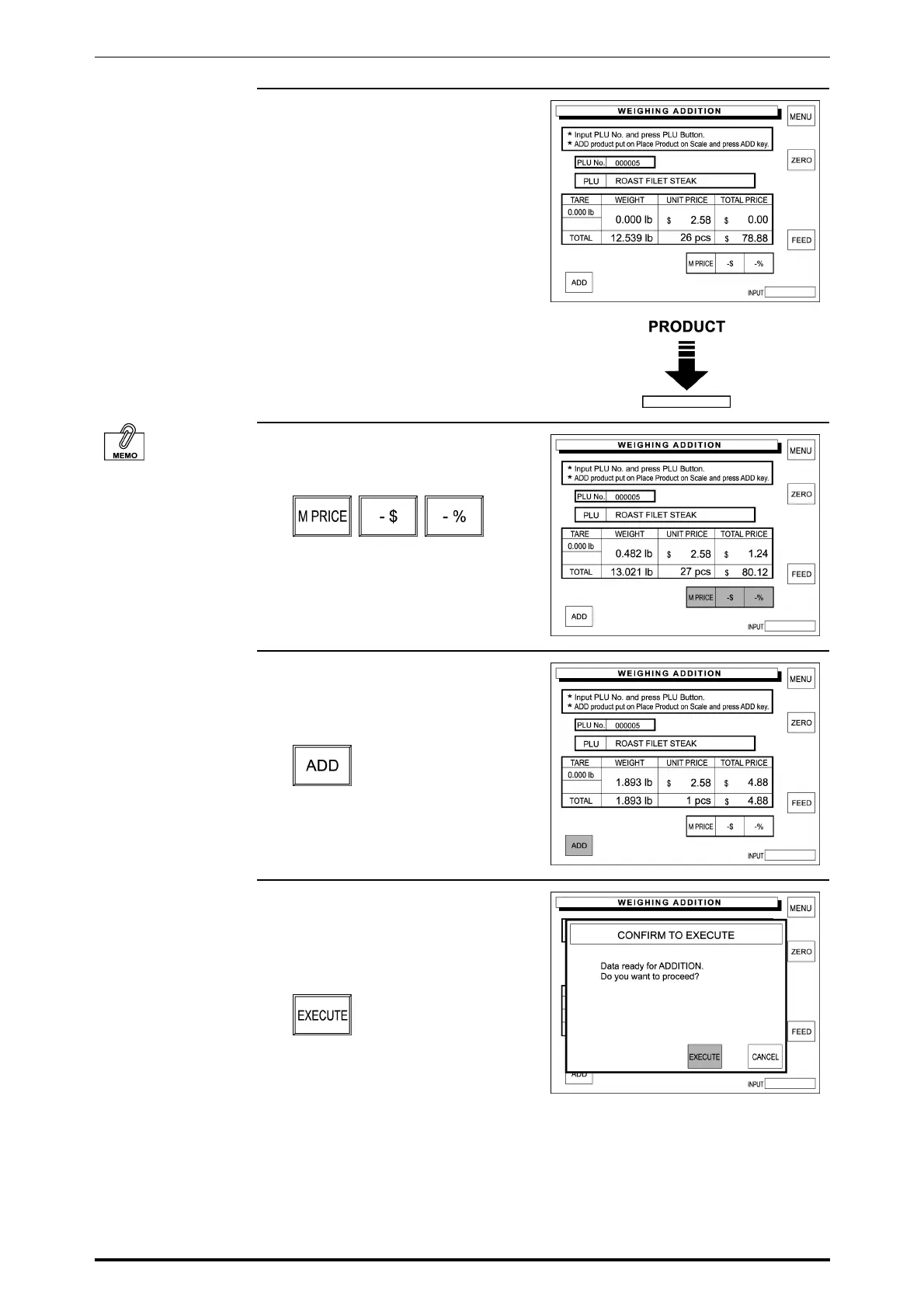
4. Place the product on the weighing
platter, then the total price is
calculated based on the actual
weight.
See Section 2.6 in
Chapter 2 “Discount
Operations” for more
detailed procedure.
5. When a discount operation is
required, touch one of the following
buttons to select.
6. The weighed data is displayed in
the corresponding data field.
Then, touch [ADD] on the screen.
7. The confirmation screen will
appear for execution.
Touch [EXECUTE] to execute
these additions.
Then, the label will be issued.
3-6 SR-2000α User’s Manual (No. 0000A)



 To Next Page