Settings
USER MANUAL FPC 200 - 3/2017 121
4.2.4.3 Protection settings
Options to set protections of the device are located in
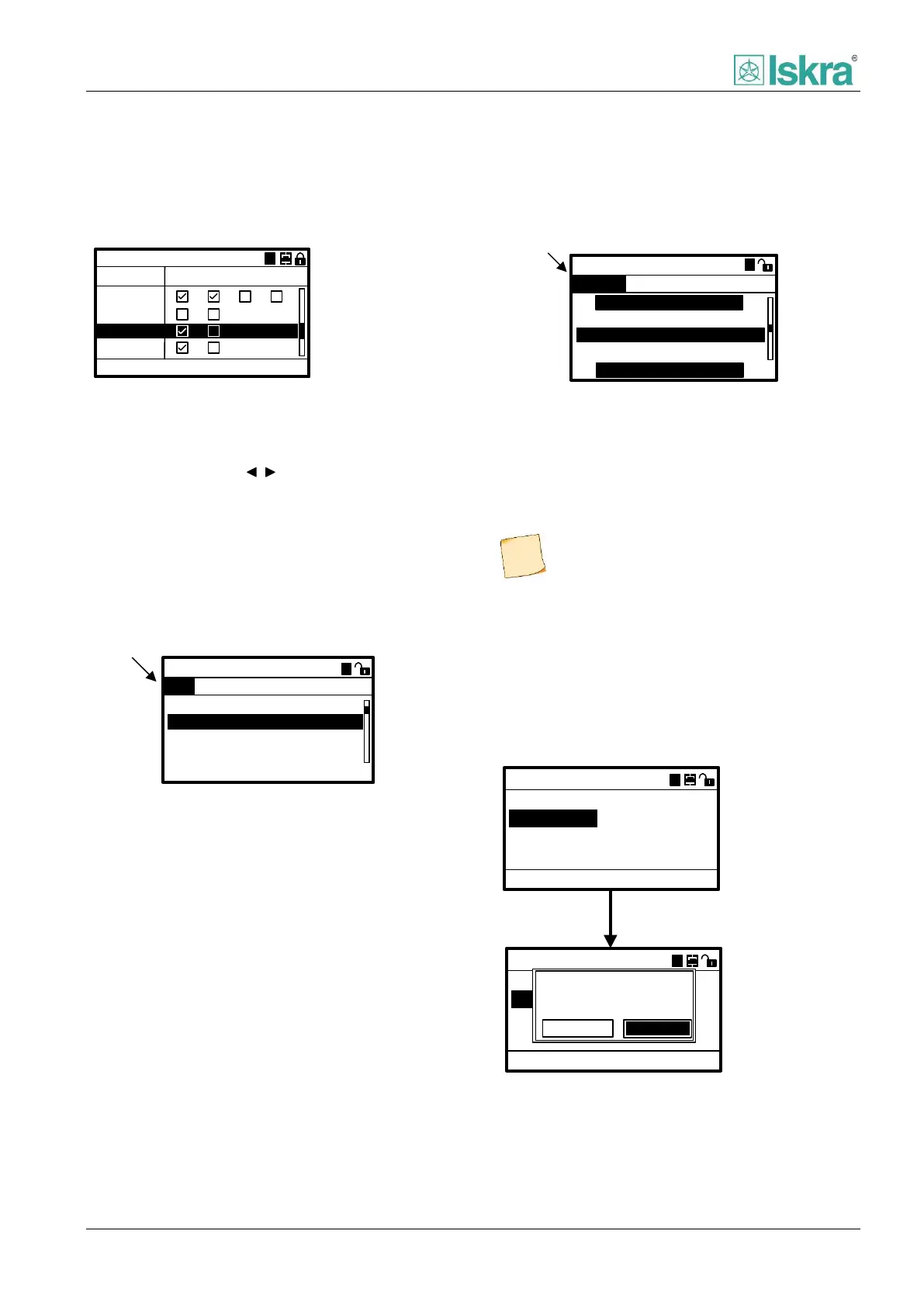
this section of tree-menu. On first page an overview
showing active protection functions is presented.
50G/51G Ground fault
50N/51N
50/51
Protections
64 REF
50G/51G
A
1 2
3 4
Figure 4.12 Example of active protections overview screen.
Parameters can be set for each instance and group of
protection respectively. To move between different
instance and group press , navigational keys. Each
protection has sets of different parameters that can be
divided in to two major groups:
4.2.4.3.1 Fundamental parameters:
Change of this parameter type will affect specific group
and instance of individual protection
IEC Normal inv.
Indication of fundamental
parameter
50/51 Over current
Mode:
Enabled:
IDMT coeficient:
0.05
Yes
Pickup value: 1.2In
A
Trip delay: 0.4s
1A 1B 2A 2B 3A 3B 4A
A
Figure 4.13 Parameter setting of individual instance and group
of single protection.
4.2.4.3.2 Common parameters:
Change of this parameter will affect all groups in specific
instance of individual protection.
Indication of common
parameter
2A
50/51 Over current
Pickup delay:
Dropout delay:
20ms
0.14s
Dropout ratio:
0.95
1A 1B 2A 2B 3A 3B 4A
CONTROL SETTINGS
COLD LOAD PICKUP
A
Figure 4.14 Common parameter setting of individual instance
of single protection.
Only parameters of one protection (50/51, 50N/51N,
46) can be set before saving and applying changes. For
changing a parameter see Chapter 2.
4.2.4.4 Command menu
Command to open or close circuit breaker can be send
manually through by using dedicated quick keys or by
accessing via command menu. Note that password level
1 is needed to perform commands.
ACC
Command
CB Open
CB Close
Execute command:
A
ACC
Command
CB OPEN
CB CLOSE
Execute command:
A
ACC
Confirm action:
Confirm
Cancel
Figure 4.15 Procedure of executing commands.
Each protection is disabled by default.



 To Next Page