26
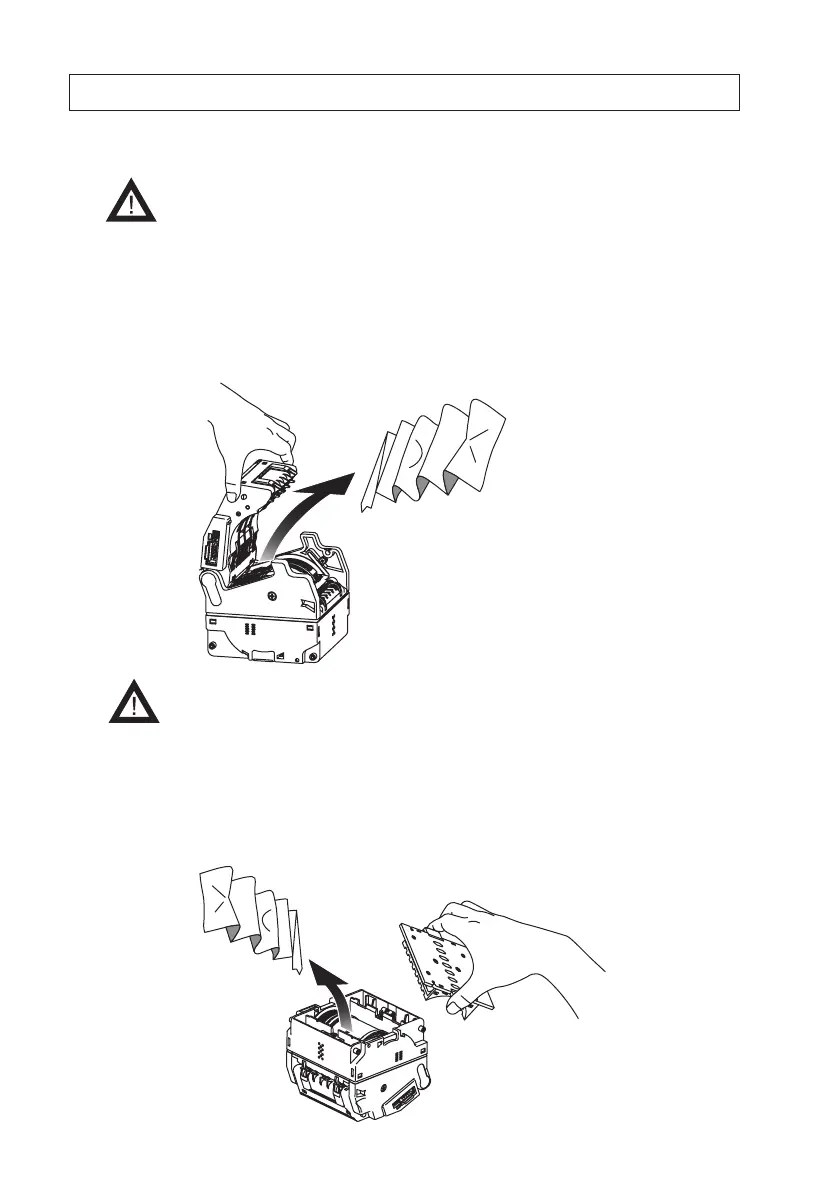
Open the lower lid
1. Confirm that the power to the TAIKO unit is turned off.
2. Remove the faceplate from the TAIKO unit.
See => “6. Installation/Removal”
3. Hold in the lower cover lock release buttons and remove the lower lid, then pull out the jammed
banknote.
10. Clearing a Banknote Jam
When a banknote becomes jammed inside the TAIKO unit, follow the instructions below to
remove the jammed banknote.
- Be sure to turn off the power to the TAIKO unit when opening the upper
and lower lids. Failure to do so may result in your fingers becoming
caught in the moving roller.
Open the upper lid
1. Confirm that the power to the Taiko unit is turned off.
2. Hold in the upper lid open/close buttons and open the upper cover, then pull out the jammed
banknote.
- Be careful not to get your finger caught when closing the upper cover.



 To Next Page