4-13
TAIKO Service Manual
CHAPTER
4
© 2006 Japan Cash Machine Co.Ltd. All rights reserved.
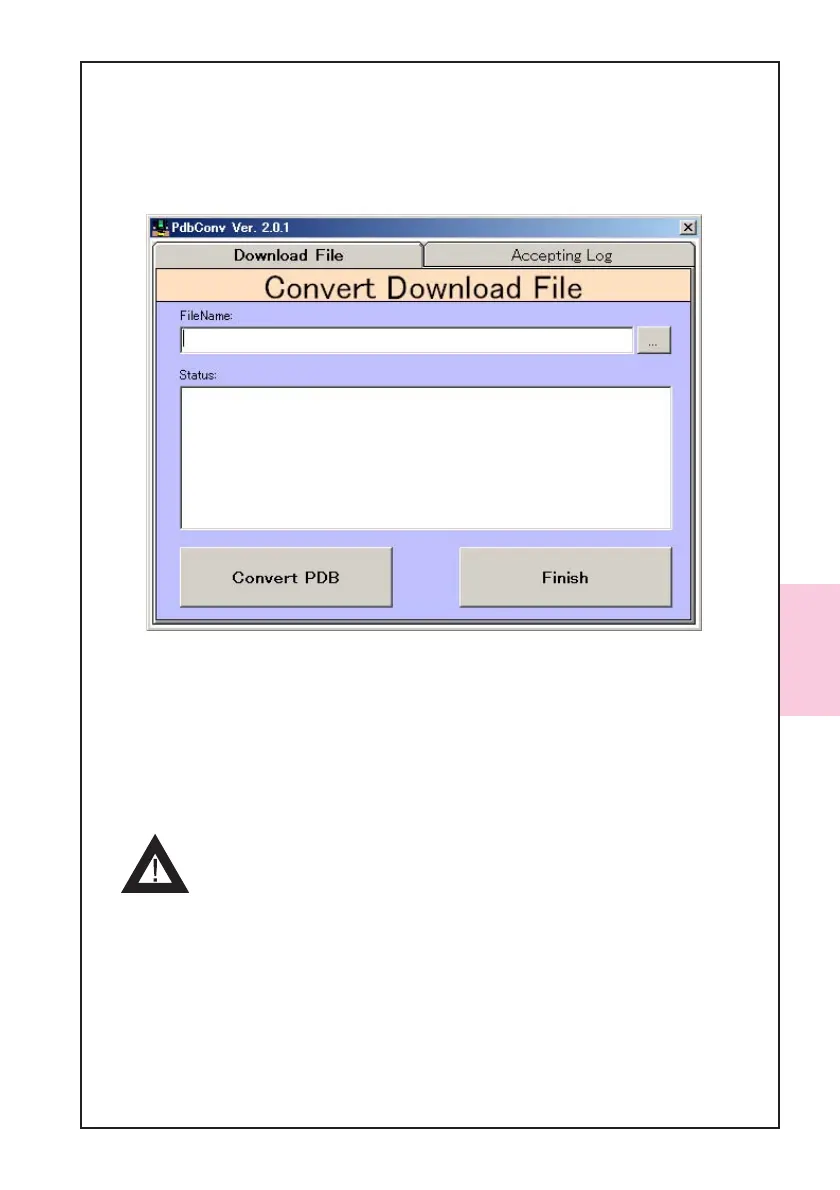
2. Confirm the Download File tab and click the [...] button to select a file you want to
convert.
3. Click the [Convert PDB] button to start the conversion.
4. After CRC is displayed, convension is completed. Converted file is stored where
original file were in.
5. Click the [Finish] button and close the PdbConvEn.exe.
- Please import the downlader(ID003DWN.prc) for the palm and
the software converted into prc format to palm referring to
your Tungsten C Manual.
4-4-3. Converting Software Program
Follow the steps below, convert the software program into prc format.
1. Double click the PdbConvEn.exe icon to start the PdbConvEn. The following window
will appear.



 To Next Page