6-3
TAIKO Service Manual
CHAPTER
6
© 2006 Japan Cash Machine Co.Ltd. All rights reserved.
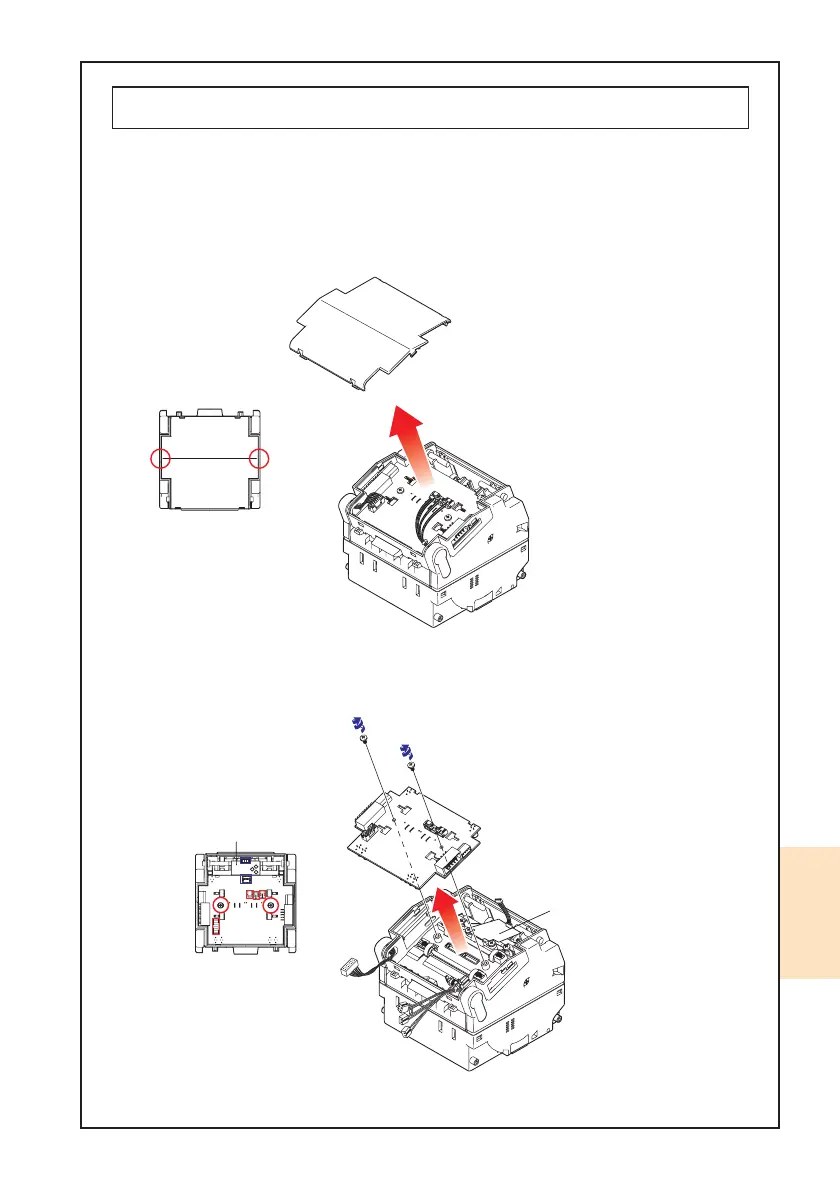
6-2. Replacement of CPU Board
When replacing the CPU Board, follow the instructions below.
1. Insert your fingernail into the gap of left or right side of the Upper Lid. Lift up the
Upper Lid Cover with your fingernail and remove it.
2. Unplug four (4) connectors and take out two (2) tapping screws on the CPU Board to
remove the CPU Board.
MAG Board
(PUB-11 Only㧕
View from the top
MAG Board
(PUB-11 Only㧕



 To Next Page