TAIKO Service Manual
4-4
CHAPTER
4
© 2006 Japan Cash Machine Co.Ltd. All rights reserved.
4-1-3. Download Procedure
When downloading software, follow the steps as shown bellow.
1. Refer to 4-1-2. Connecting Procedure to identify the tool, the harness connection and
DIP Switch Settings.
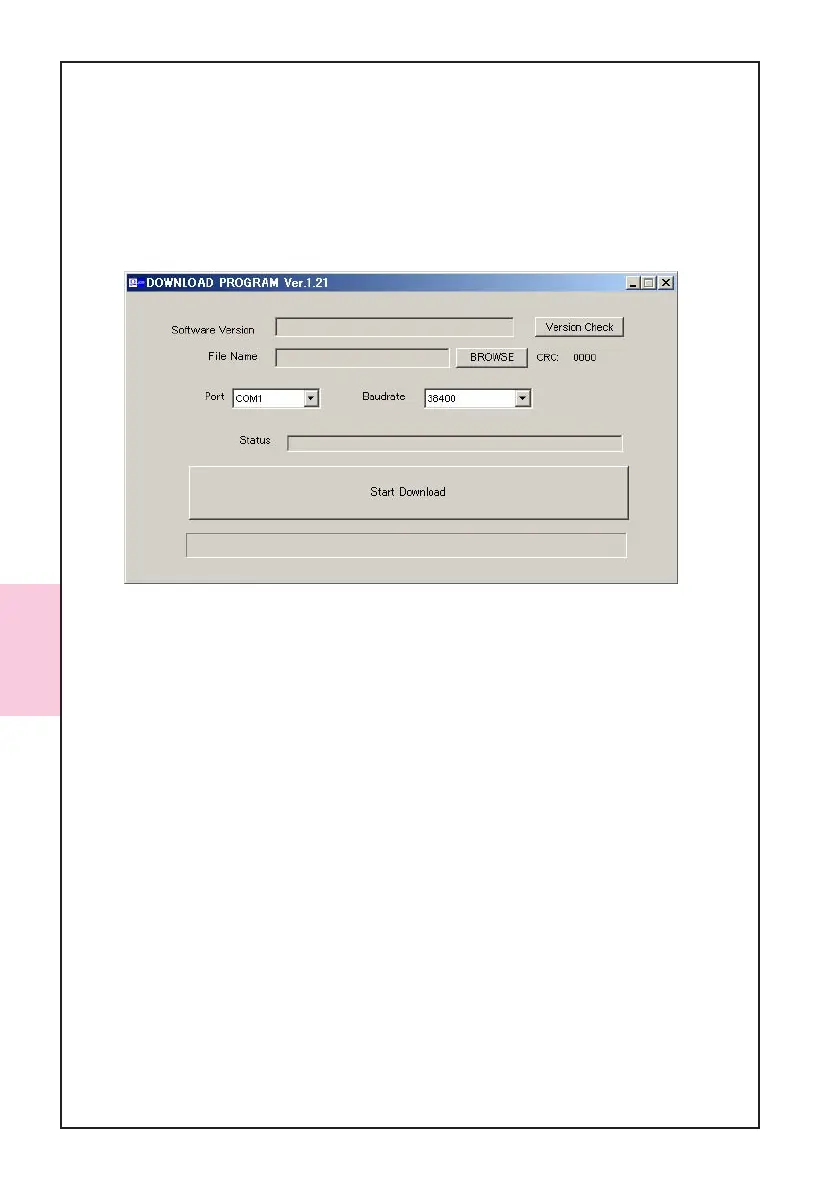
2. Double Click the Download Program Ver. 1.21.exe. The following window will be
appear.
3. Select your PC’s COM Port # from the Port pull down menu.
4. Select 38400 from the Baudrate pull down menu.
5. Press the [Version Check] button to display current software which is installed in the
TAIKO Unit.
6. Press the [BROWSE] button and select a software program you want to download to
the TAIKO Unit.
7. Press the [Start Download] button to start downloading.
8. When downloading is completed, TAIKO’s LED lamps turn into Blue.
9. Turn off the power and remove the TAIKO Unit.



 To Next Page