FMS-2000C
LIT-12013504
10
Introduction
The FMS-2000C Critical Environment Controller ensures laboratory and healthcare settings are safe for all occupants by continuously
verifying room pressure and air ow. It can precisely control and monitor six parameters including dierential pressure, temperature,
humidity, CO
2
, air ow, and air changes per hour. One controller can control or monitor up to four spaces simultaneously for any of the
six parameters. This controller has a displayed air ow resolution down to 0.0001 in. W.C. and instantly updates as conditions change.
The FMS-2000C provides maximum room status awareness with color coded visual alarms both on screen and with the 360° Safety
Halo illuminated edge, which allows sta to easily monitor spaces down long corridors. The audible alarm can be muted with one tap
to the screen to help reduce audible alarm fatigue. There are two password protected access levels, one for administrators and one for
restricted level users, such as nurses.
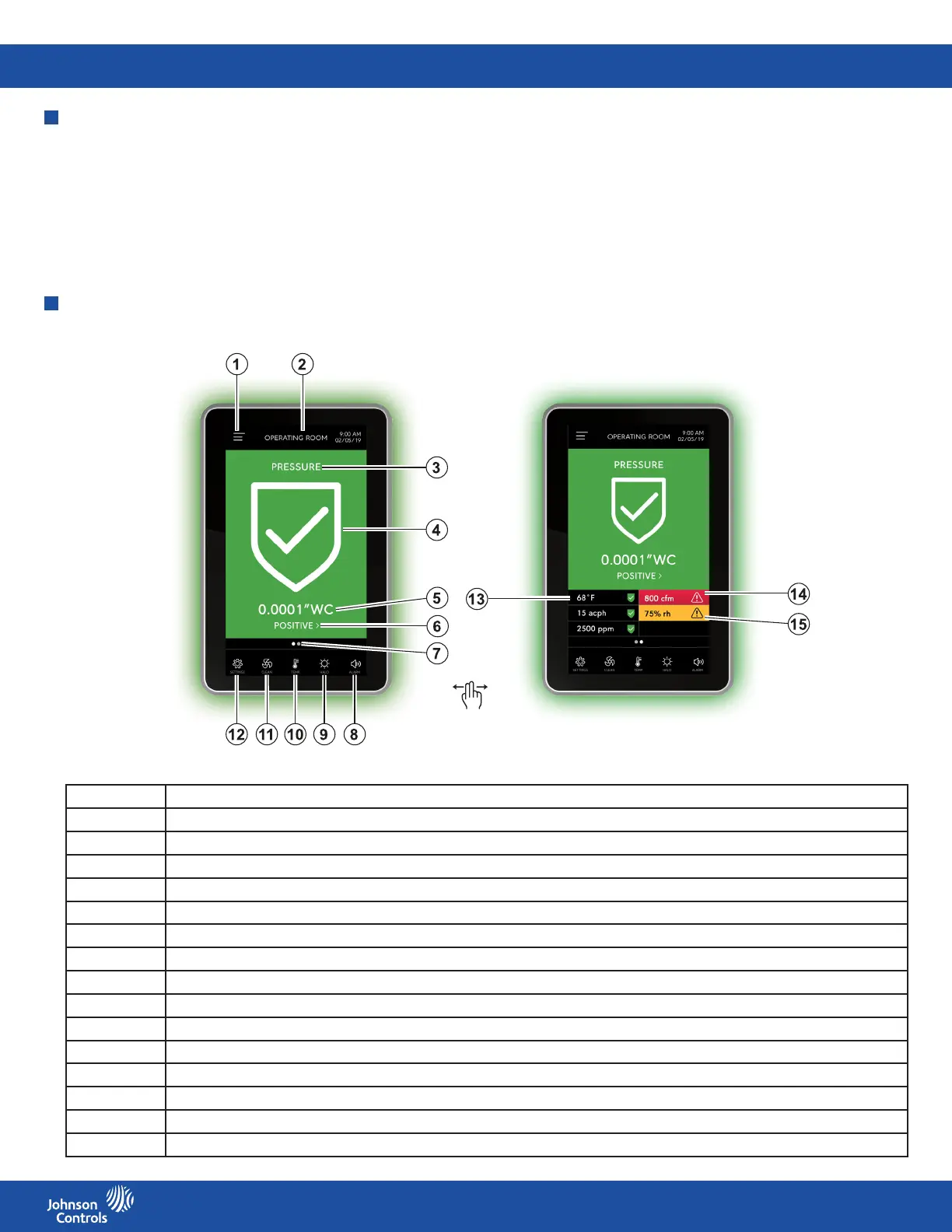
Number Description
1 User menu
2 Device name
3 Analog input name
4 Parameter status icon
5 Primary sensor reading
6 Isolation mode quick link
7 Screen indicator
8 Quick access audible alarm
9 Quick access 360° Safety Halo
10 Quick access temperature
11 Fan icon = clean room function
12 Settings menu
13 Secondary parameter with normal status
14 Secondary parameter with alarm status
15 Secondary parameter with warning status
Table 1: FMS-2000C Critical Environment Controller display and icons
Display overview
Figure 1: FMS-2000C Critical Environment Controller display overview










 To Next Page