FMS-2000C
LIT-12013504
60
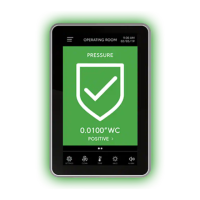
If you upgrade an existing FMS-1655 Room Pressure Controller display and want to take advantage of the full FMS-2000C controller
improvements, contact service@JCI.com to assist with the following:
• Update the controller rmware
• Recongure the back plane board to regain the use of relay 4 and restore continuous power at the display interface terminal block.
This can be accomplished by re-conguring the three jumper options JP2, JP3, and JP4 on the bottom of the back plane board.
• BACnet MS/TP trunk wiring needs to be relocated to the terminals at the back of the FMS-2000C controller display. This is optional
but updates to the latest BACnet/MSTP revision. See the FMS-2000C Critical Environment Controller Installation Guide for more
information.
If you upgrade an existing FMS-1655 Room Pressure Controller display with the FMS-2000C controller display and do not plan to
update the original FMS-1655 controller, the following considerations apply:
• Thermostat function with seven distinct comfort ranges is not available, which includes ± 1, ± 2, ± 3, ± 4, ± 5, ± 10, ± 10
• Relay 4 continues to be unavailable to end user
• Power for the FMS-2000C controller display needs to be moved to +V terminal to disable display watchdog originally designed for
FMS-1655 controller display. See FMS-2000C Critical Environment Controller Installation Guide for more information.
Upgrading an existing FMS-1655 Room Pressure Controller display










 To Next Page