FX-3R Maintenance Guide
3-12
3-6. Replacing the ZT-Driver Board
3-6-1. Replacing the ZT-Driver Board
1) Refer to section 2-1, “Replacing the Head Unit”, and steps 1) to 6), 14), and 16) in “Adjustment
after replacement” of Chapter 2.
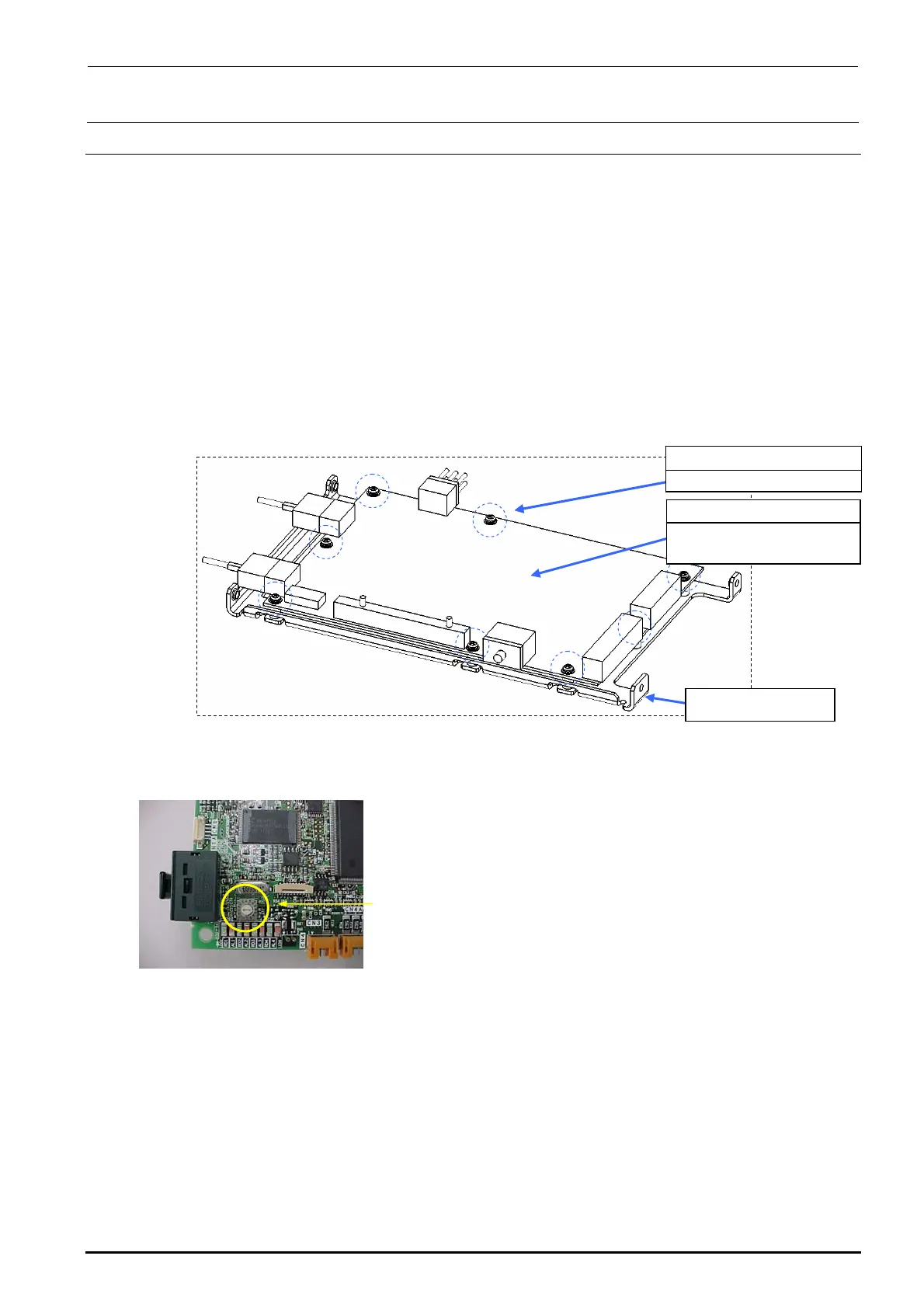
2) Remove the SEMS cap bolts c (×8) from the ZT-driver support to detach the ZT-driver board.
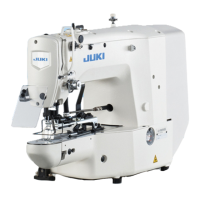
∗ The trimmer on the ZT-driver board needs to be adjusted. Adjust the trimmer while
referring to section 13-6, Z-θ Unit
3) Reassemble the parts and components in the reverse order of disassembly.
c SL4030691SC
SEMS cap bolts M3×8
40044535
4-axis integrated type
servo amplifier
ZT-driver support
Figure 3-6-1-1 Replacing the Driver Board
Trimmer
Rev. 1.00



 To Next Page