FX-3R Maintenance Guide
12-11
12-2-3. Setting Up the Network (This setup is required when communicating with the
IS.)
To use the communication between the FX-3R and the IS, it is absolutely necessary to set up the
network.
<Setting procedures>
Setting up the TCP/IP
Setting up a shared folder
Registering a user
12-2-3-1. Setting Up the TCP/IP
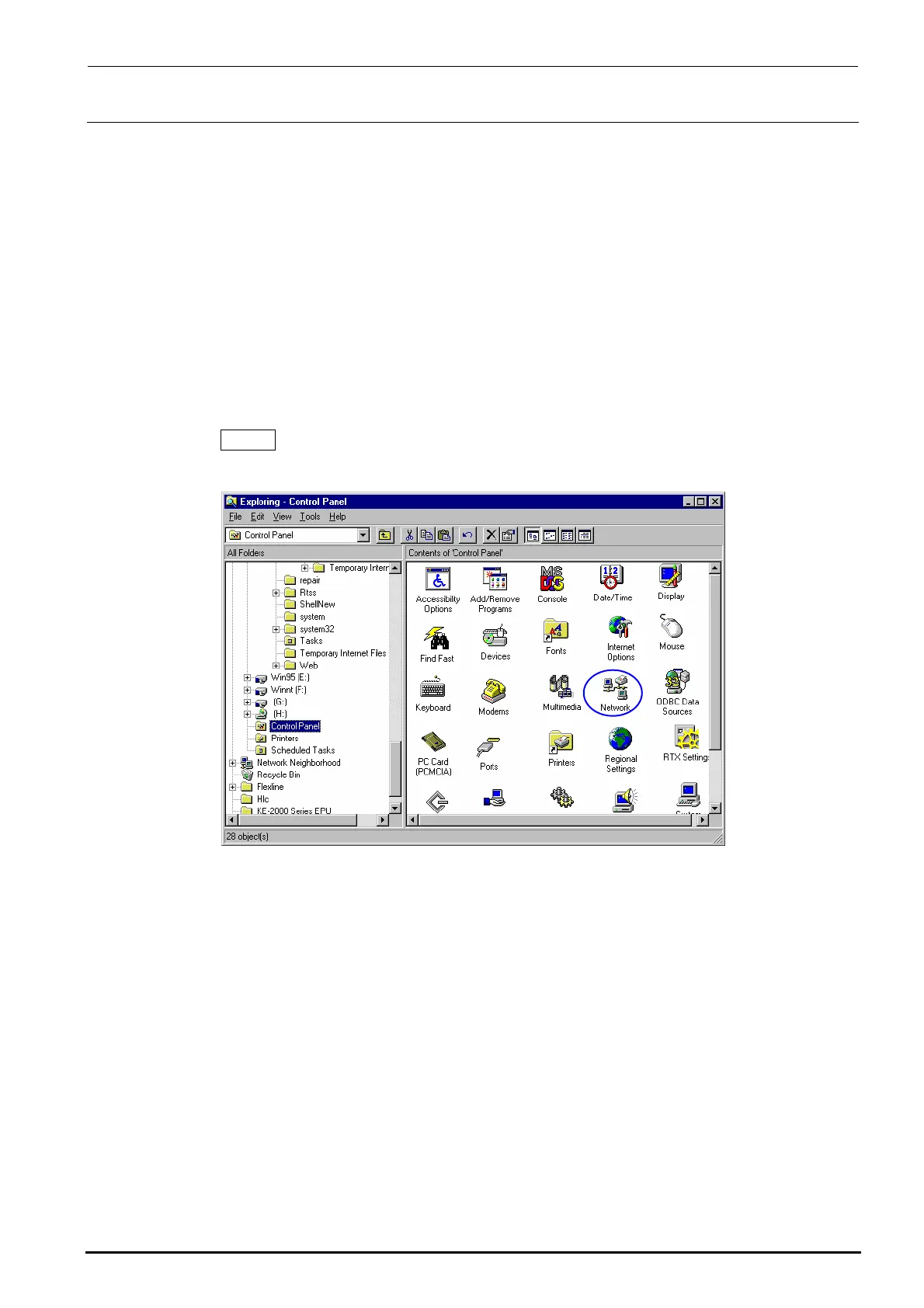
1) From the Start button, select [Settings], and then [Control Panel].
2) Select the [Network ] icon from the control panel.
Rev. 1.00



 To Next Page
 Loading...




