FX-3R Maintenance Guide
12-12
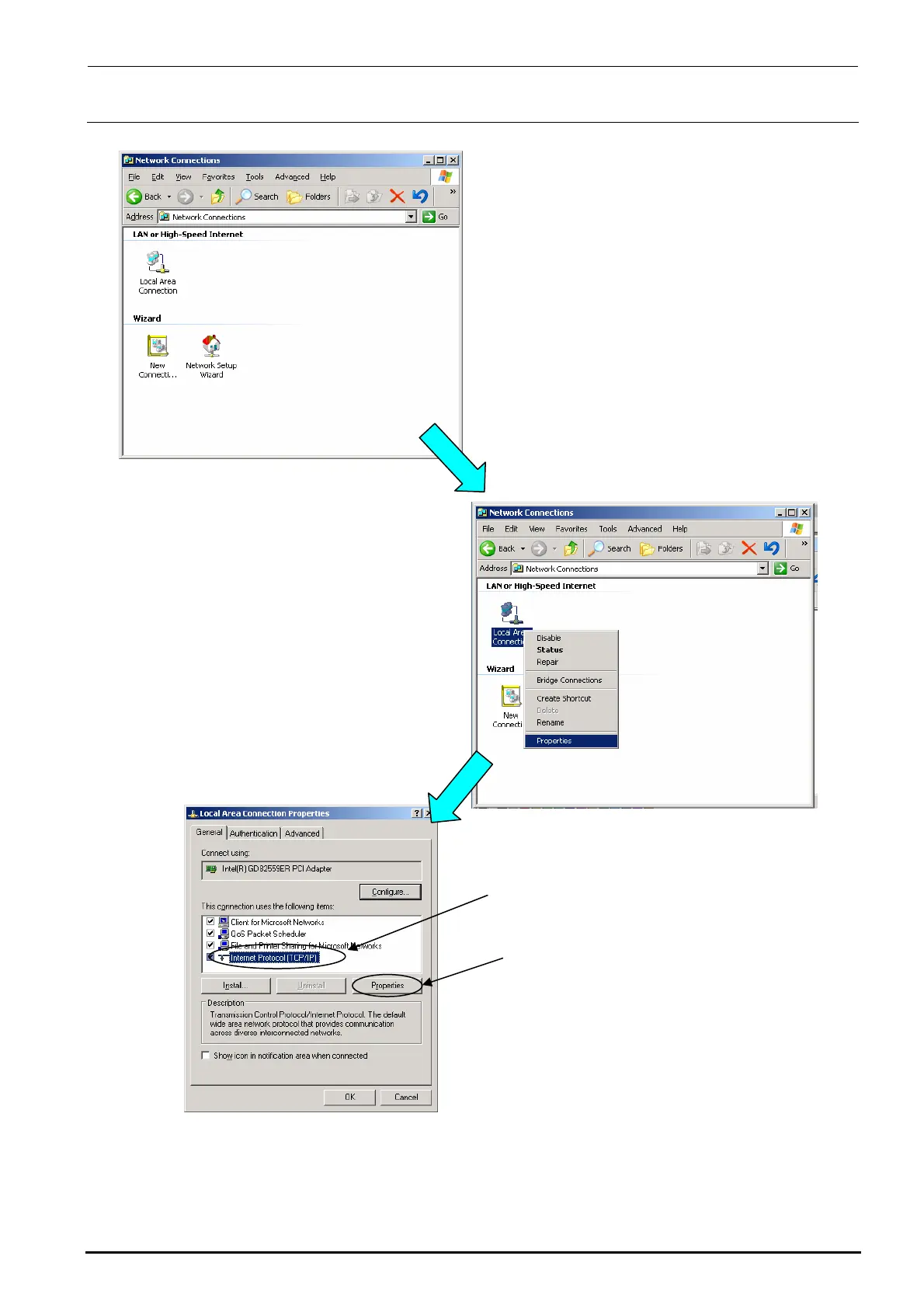
3) The “Network connection ” dialog box appears on the screen.
4) Select the [Local Area Connection] icon on the
dialog box stated in step 3), and then click the
[Properties] command with the right button to
select it.
Rev. 1.00
5) The “LOCAL Area Connection
(Properties)” dialog box appears on the
screen.
Select the [Internet Protocol (TCP/IP)]
on this screen, and the click the
[Properties] button.



 To Next Page
 Loading...




