ENGLISH
101
Using Bluetooth device
A
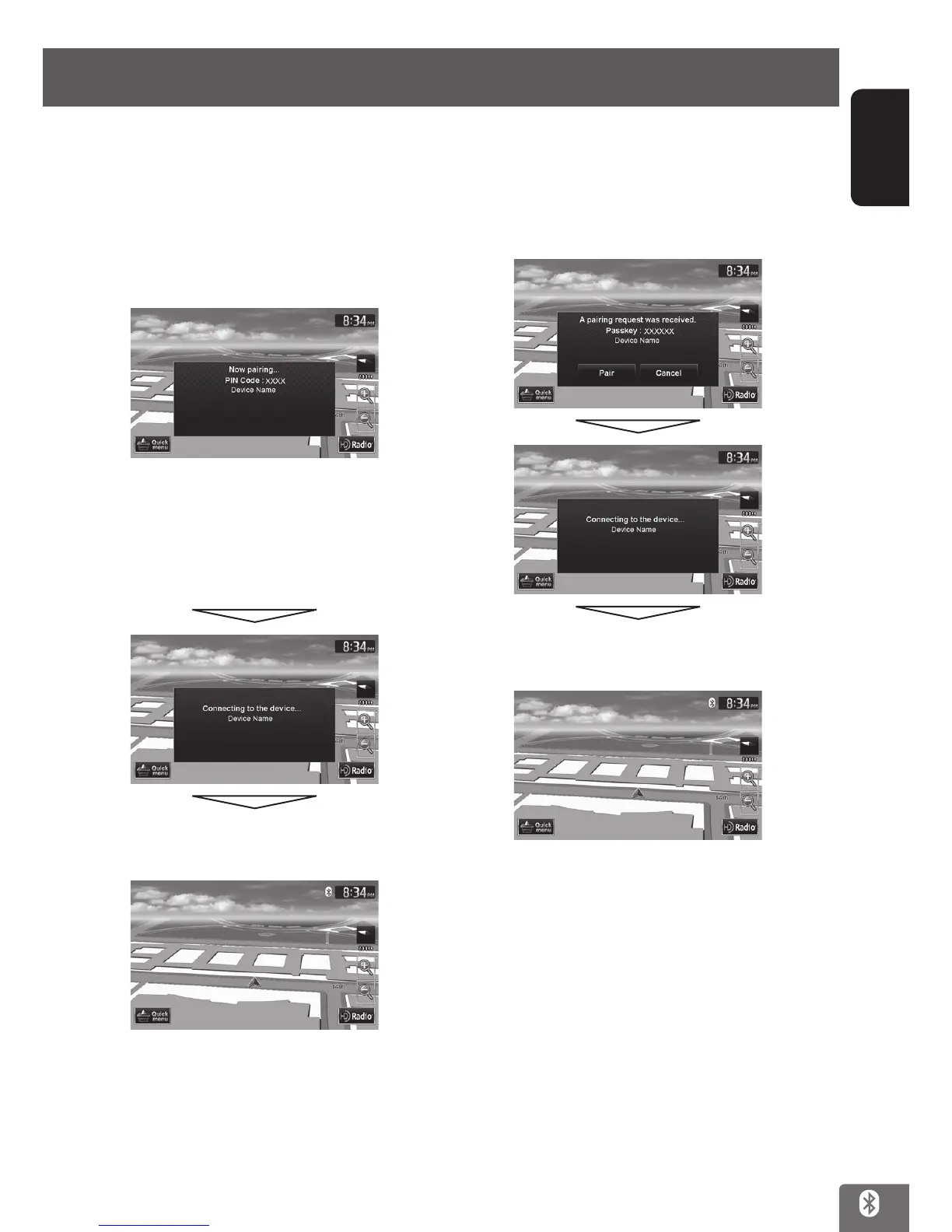
1 When the unit recognizes the Bluetooth
device you want to connect, the following
screen appears.
Enter the PIN code of the unit shown on the
screen to the Bluetooth device.
The default setting is “0000”.
Some Bluetooth mobile phones do not display this
screen.
In this case, check the PIN code of the unit, and
then enter it to the Bluetooth device.
To check the PIN code, see page 102.
When registration is completed, the BT icon
appears on the screen of the unit.
B
1 When the unit recognizes the Bluetooth
device you want to connect, the following
screen appears.
Press [Pair].
When registration is completed, the BT icon
appears on the screen of the unit.
EN_KW-NT510HDT_NT310[J].indb 101 11/8/2012 2:49:33 PM



 To Next Page