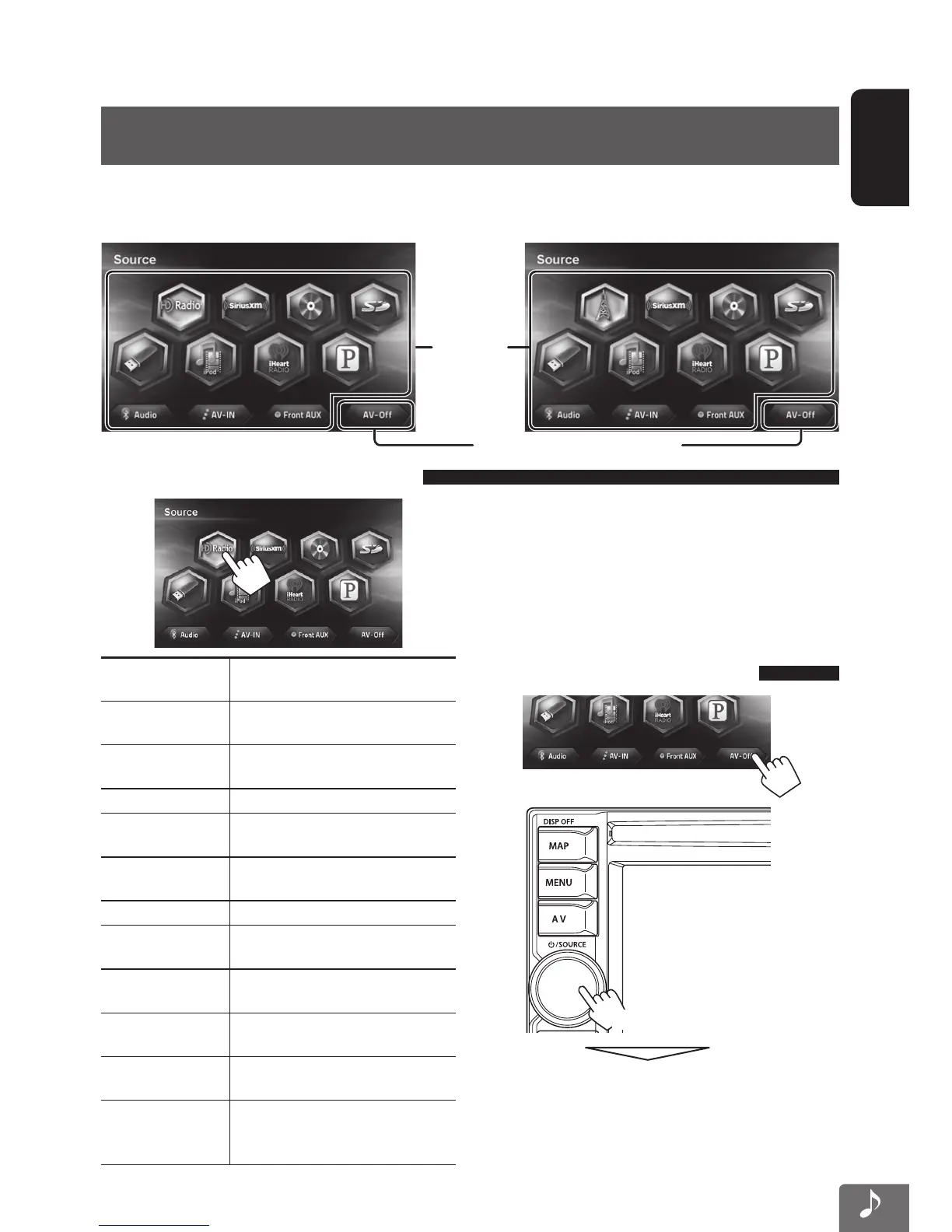
Selects
the source
(☞ below)
Turns off the AV source (☞ below)
KW-NT310KW-NT510HDT
43
ENGLISH
Common operations on source screen
HD Radio
(For KW-NT510HDT)
Switches to the HD Radio.
(☞ page 44)
Tuner
(For KW-NT310)
Switches to the radio. (☞ page 52)
SiriusXM
Switches to the SiriusXM radio
broadcast. (☞ page 77)
DISC
Plays a disc. (☞ page 54)
SD
Plays files on a microSD card.
(☞ page 61)
USB
Plays files on a USB device.
(☞ page
61
)
iPod
Plays an iPod/iPhone. (☞ page 65)
iHeartRADIO Switches to the iHeartRADIO.
(☞ page 71)
Pandora
Switches to Pandora® internet radio.
(☞ page 75)
BT Audio Plays a Bluetooth audio player.
(☞ page 108)
AV-IN Using other external components.
(☞ page 82)
Front AUX
Switches to an external component
connected to the AUX input terminal
on the monitor panel. (☞ page
82
)
<Source> screen
AV Operations
Selecting the playback source
• The sources “Pandora”, “iHeartRADIO”, and “BT
Audio” can be selected if they are not connected, but
playback will not be possible.
• You can erase the clock display while a video source is
played back. (<Clock on Video/Screen-Off>,
☞ page 85)
Turning off the AV source
or
[Hold]
AV source is turned off.
• To activate the AV function, press the volume knob
[Hold]. Or press the volume knob, then select a
playback source.
To show <Source> screen, press the volume knob.
EN_KW-NT510HDT_NT310[J].indb 43 11/8/2012 2:49:26 PM



 To Next Page