ENGLISH
109
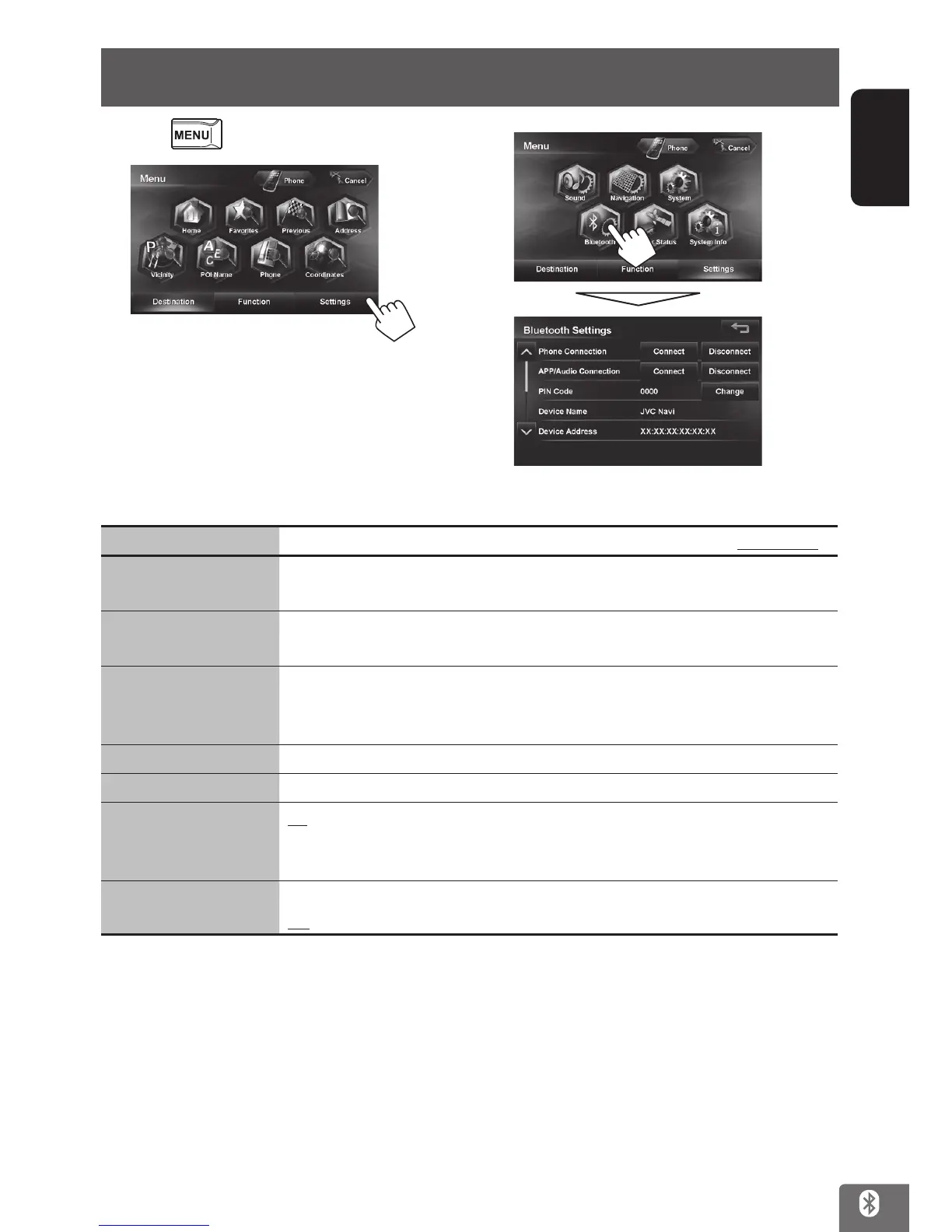
1 Press .
2
3
Menu items Selectable settings Initial: Underlined
Phone Connection
Connect: ☞ page 102
Disconnect: ☞ page 102
APP/Audio Connection
Connect: ☞ page 102
Disconnect: ☞ page 102
PIN Code Displays the PIN code of the unit.
• To change the PIN code, press [Change], enter a new PIN code, then press [OK].
(☞ page 102)
Device Name Shows the device name (JVC Navi) to be shown on the Bluetooth device.
Device Address Shows the MAC address of the unit.
Auto Connect
On: The connection is automatically established with the last connected Bluetooth
device when the unit is turned on.
Off: Cancels.
Auto Answer
On: The unit answers the incoming calls automatically.
Off: The unit does not answer the calls automatically. Answer the calls manually.
Bluetooth device settings
EN_KW-NT510HDT_NT310[J].indb 109 11/8/2012 2:49:35 PM



 To Next Page