98
ENGLISH
Setting the Sound
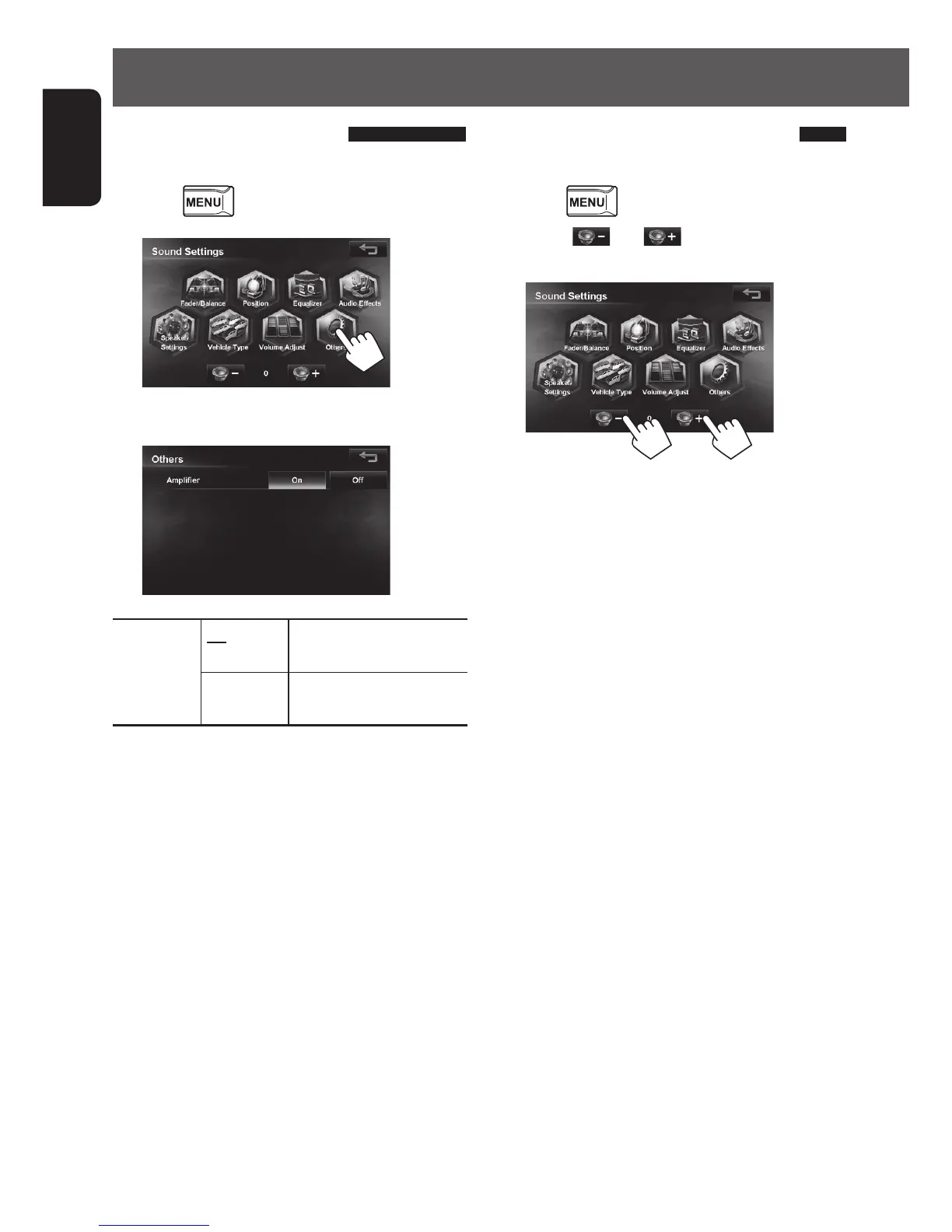
Setting the hardware
Sets the built-in amplifier output.
1 Press - <Settings> - <Sound>.
2
3 Press an option.
Amplifier On Turns the built-in amplifier
on.
Off Turns the built-in amplifier
off.
Setting the subwoofer level
You can set the subwoofer level here.
1 Press - <Settings> - <Sound>.
2 Press [ ] or [ ] to adjust the
subwoofer level (-50 to 10 initial:0).
EN_KW-NT510HDT_NT310[J].indb 98 11/8/2012 2:49:33 PM



 To Next Page