108
ENGLISH
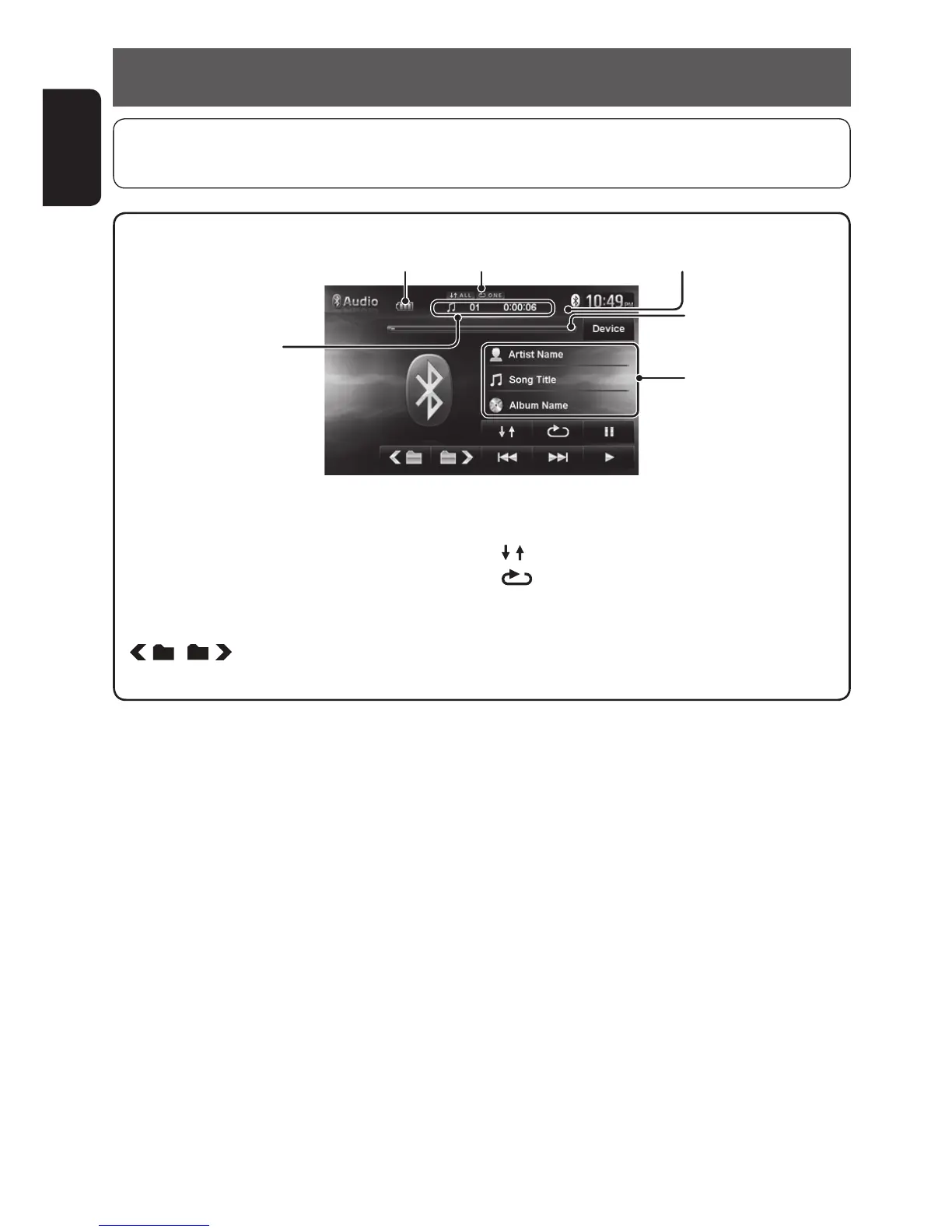
Using Bluetooth audio player
*
1
Seek bar is not operable with BT Audio.
*
2
To cancel random or repeat mode, press the button repeatedly until the indicator disappears.
Playback mode
[3] Starts playback.
[8] Pauses.
[4] [¢] Press: Selects track.
Hold: Reverse/forward search.
[
] [ ]
Selects the group. (Works only when
the device supports the function.)
Tag data (current track
title/artist name/album
title)
[ ] Selects Random playback mode.
*
2
[ ]
Selects Repeat playback mode.
*
2
[Device] Displays the Bluetooth device
connection screen. (☞ page 102)
Battery reminder (only when the information comes
from the device)
• To register a new device, ☞ page 100.
• To connect/disconnect a device, ☞ page 102.
Track no./Playing time
• The operating buttons, indicators and information displayed on the screen differ depending on the connected
device.
Playback status (8: pause/7: stop)
Seek bar
*
1
EN_KW-NT510HDT_NT310[J].indb 108 11/8/2012 2:49:35 PM



 To Next Page