75
ENGLISH
Pandora® internet radio operations (For iPhone or Android device)
About Pandora® internet radio
• In the application on your device, log in and create an account with Pandora. (If you are not already a
registered user, an account can also be created at www.pandora.com.)
• Internet connection by 3G, EDGE, or WiFi.
• Pandora® is available only in the U.S.
• Because Pandora® is a third-party service, the specifications are subject to change without prior notice.
Accordingly, compatibility may be impaired or some or all of the services may become unavailable.
• Some functions of Pandora® cannot be operated from this unit.
• For issues using the application, please contact Pandora at pandora-support@pandora.com
• You can listen to Pandora on this unit by using the “Pandora” application on an iPhone or Android device.
1 Install the latest version of the Pandora® application to your device.
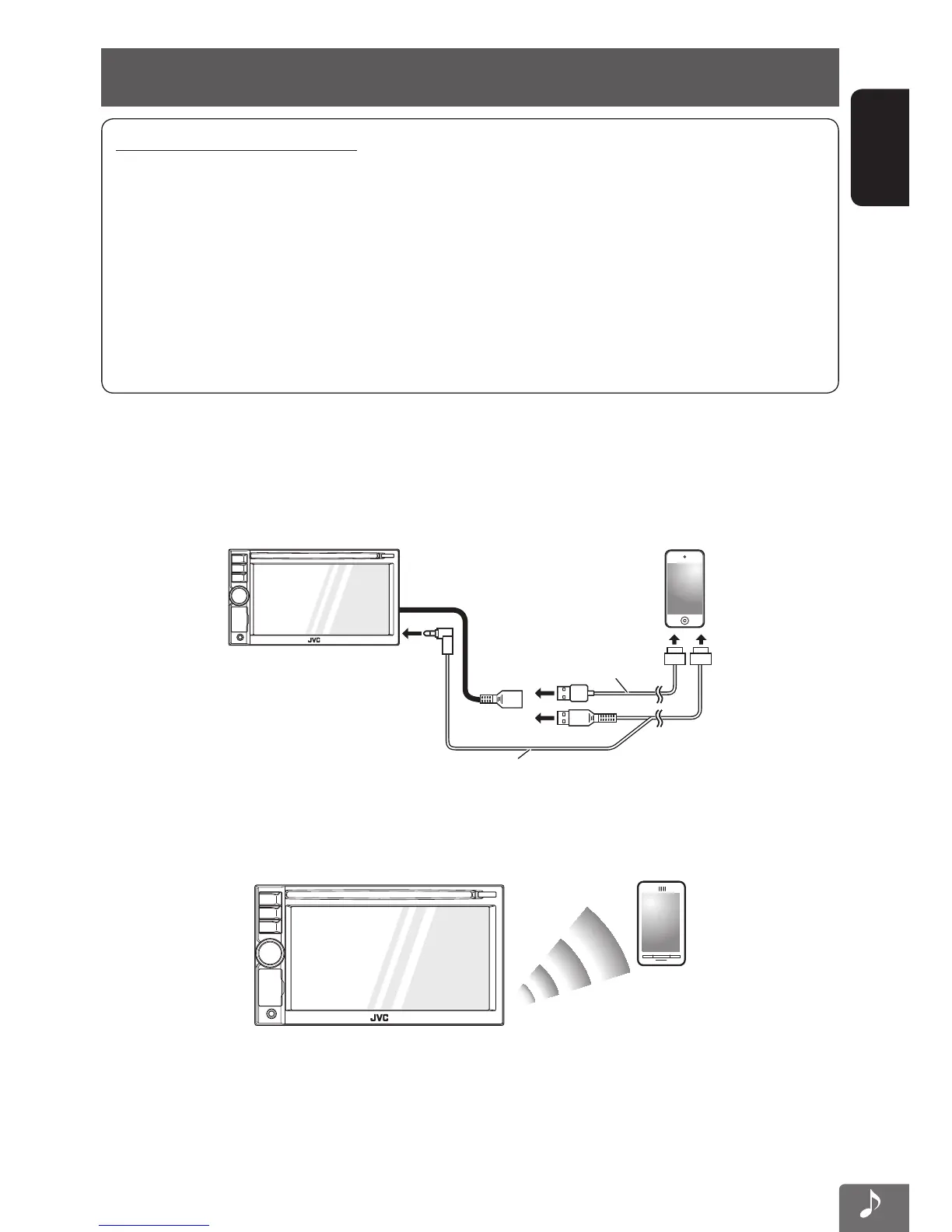
2 Connect your device to the unit.
• When using an iPhone
For connection, use a USB2.0 cable (accessory of the iPod/iPhone) or a USB Audio and Video cable for iPod/
iPhone (KS-U49, not supplied).
USB 2.0 cable
(accessory of the iPod/iPhone)
KS-U49 (not supplied)
or
• When using an Android device
Connect an Android device to this unit via Bluetooth.
Pair the Android device with this unit. (☞ page 100)
3 Start the Pandora® application by your device.
4 Select “Pandora” as the source.
EN_KW-NT510HDT_NT310[J].indb 75 11/8/2012 2:49:30 PM



 To Next Page