31
ENGLISH
How you are guided
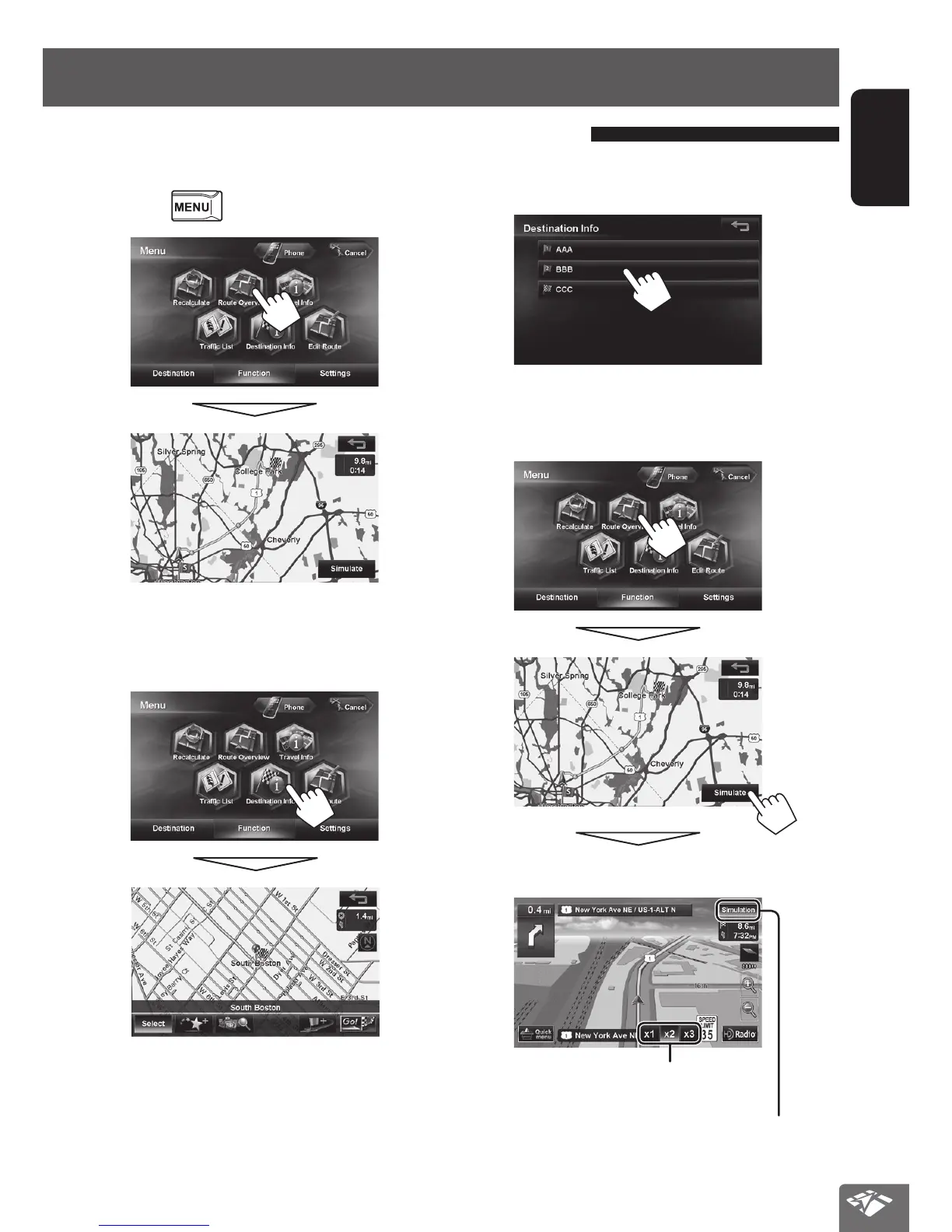
To check the entire route
1
Press - <Function>.
2
To check the information on the
destination and via points
1
Getting information on your route and places
If via points are set, select a desired via point to check
its detailed information.
To confirm how your trip will go
<Simulation>
Drive simulation starts.
Changes the speed of the drive simulation
(x1/x2/x3)
Cancels the simulation and resume guidance
EN_KW-NT510HDT_NT310[J].indb 31 11/8/2012 2:49:23 PM



 To Next Page