60
ENGLISH
Disc operations
Settings for the disc playback
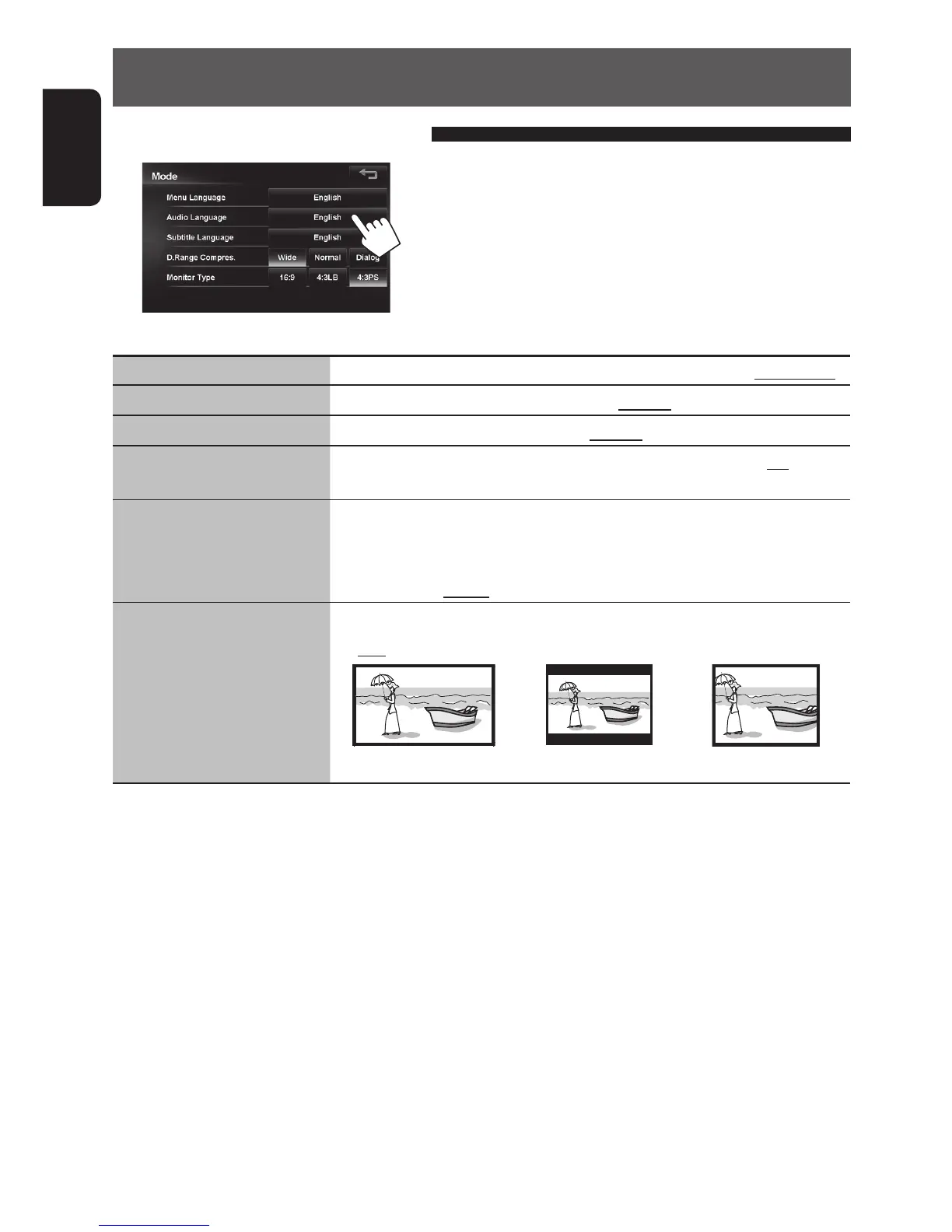
Disc Setup items Selectable settings Initial: Underlined
Menu Language
Select the initial disc menu language; Initial English. (☞ also page 89)
Audio Language
Select the initial audio language; Initial English. (☞ also page 89)
Subtitle Language
Select the initial subtitle language or erase the subtitle (Off); Initial Off.
(☞ also page 89)
D. Range Compres.
Set the audio dynamic range of DVD video. Though the dynamic range
decreases in the order of Wide > Normal > Dialog, spoken words such as dialog
become clearer and easier to understand.
Wide, Normal, Dialog
Monitor Type Select the monitor type to watch a wide screen picture on the external monitor.
◆ 16:9 ◆ 4:3 LB (Letterbox) ◆ 4:3 PS (PanScan)
The Monitor Type setting also determines how videos are displayed on the unit.
EN_KW-NT510HDT_NT310[J].indb 60 11/8/2012 2:49:28 PM



 To Next Page