78
ENGLISH
SiriusXM Radio operations
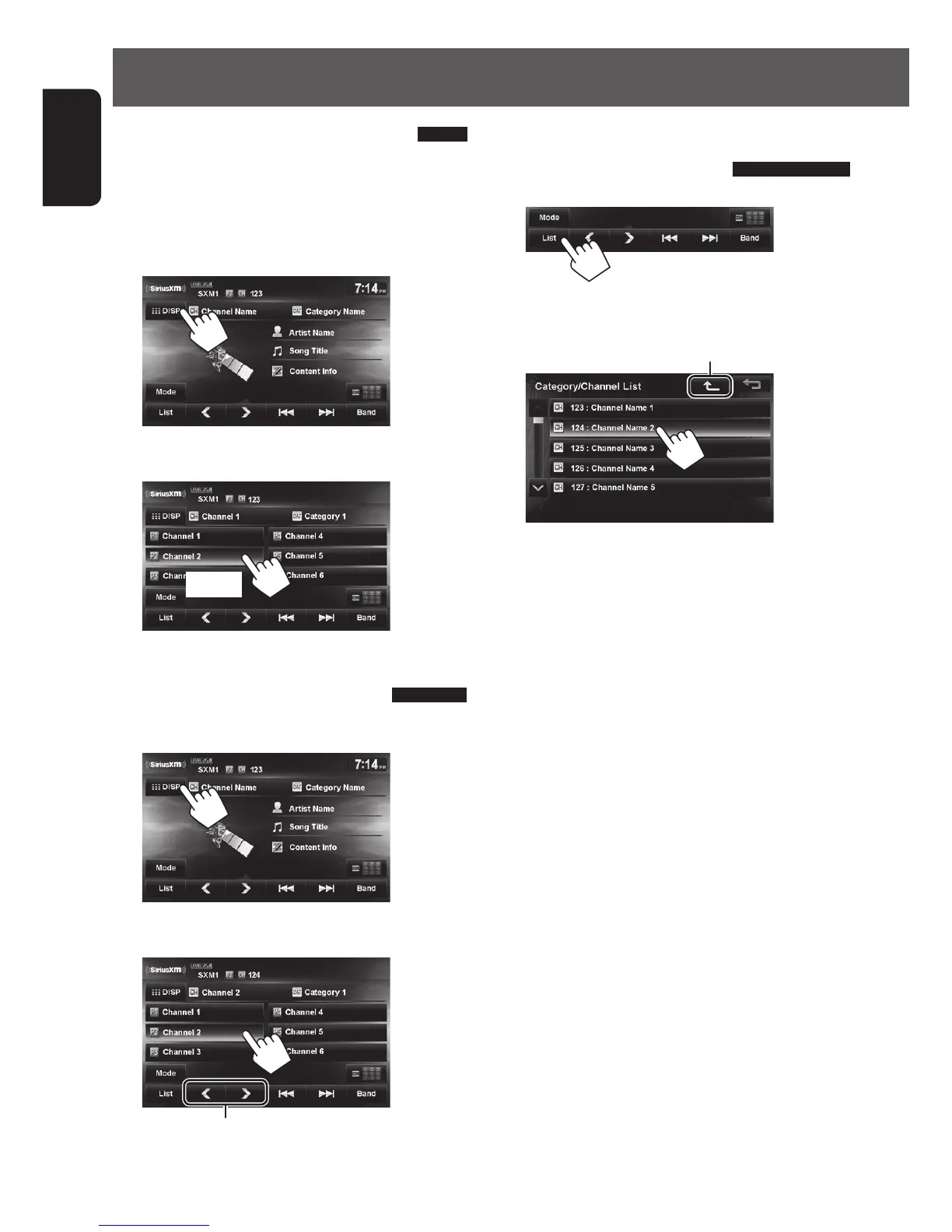
Selecting a channel from
Category/Channel list
1
2 Select a channel.
Select a category
Storing channels in memory
You can preset six channels for each band.
1 Tune in to a station you want to preset.
(☞ page 77)
2 Display the preset list.
3 Select a preset number you want to store.
[Hold]
Selecting preset channels
1 Display the preset list.
2 Select a preset number.
Also changes preset channels
EN_KW-NT510HDT_NT310[J].indb 78 11/8/2012 2:49:30 PM



 To Next Page