ENGLISH
112
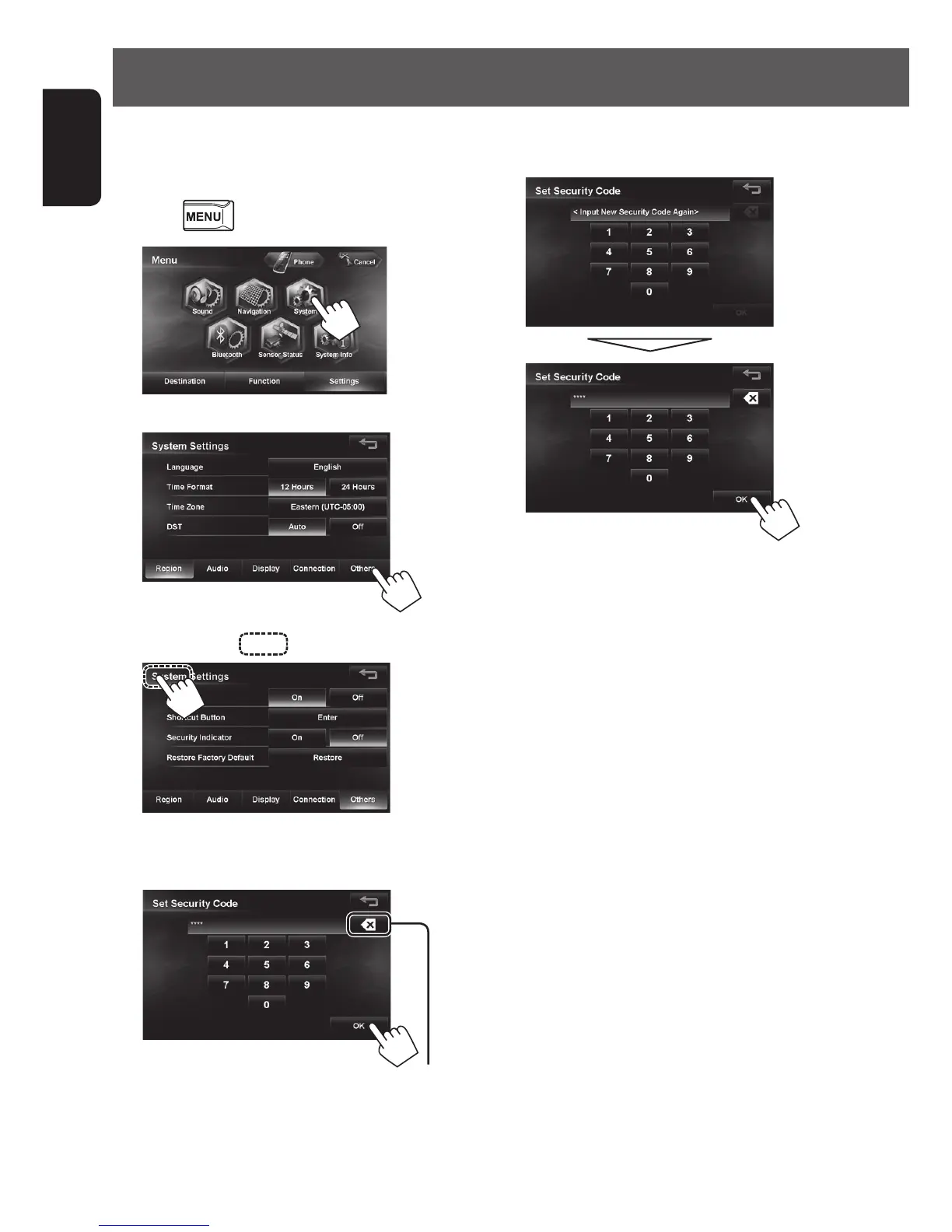
6 Enter the same security code again, then
press [OK].
• After setting the security code, entering the
security code is necessary each time you turn on
the unit.
You can set the startup security lock as an antitheft
measure.
To set the security code
1
Press - <Settings>.
2
3
4 Press around for about 3 seconds.
5 Enter a 4-8 digit security code, then press
[OK].
Press: Deletes the last character
Hold: Deletes all characters
Setting the security lock
EN_KW-NT510HDT_NT310[J].indb 112 11/8/2012 2:49:35 PM



 To Next Page