34
ENGLISH
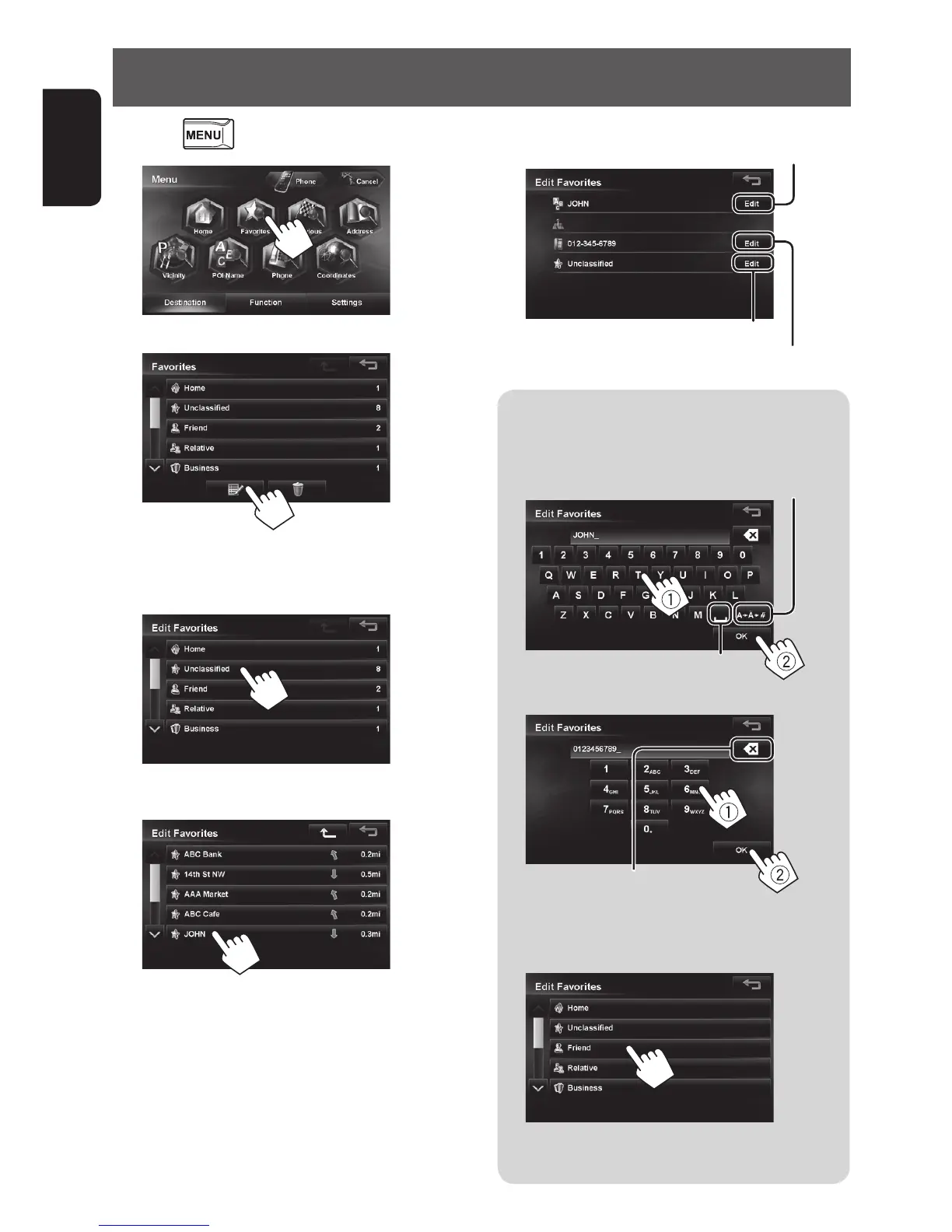
Editing registration of home/favorite points
A To edit the name
• You can use up to 48 characters.
Enters a space
Displays other keyboards
• For available characters, ☞ page 12.
B To edit the phone number
Press: Deletes the last character
Hold: Deletes all characters
C To change the category
Select a new category for the favorite point.
A confirmation message appears when you select
the Home category.
1 Press .
2
3
4 Select the category for the favorite point to
edit.
5 Select one to edit.
6 Edit the information.
B Displays the phone number editing screen
A Displays the name editing screen
C Displays the category selection screen
EN_KW-NT510HDT_NT310[J].indb 34 11/8/2012 2:49:24 PM



 To Next Page