19
ENGLISH
Basic operations
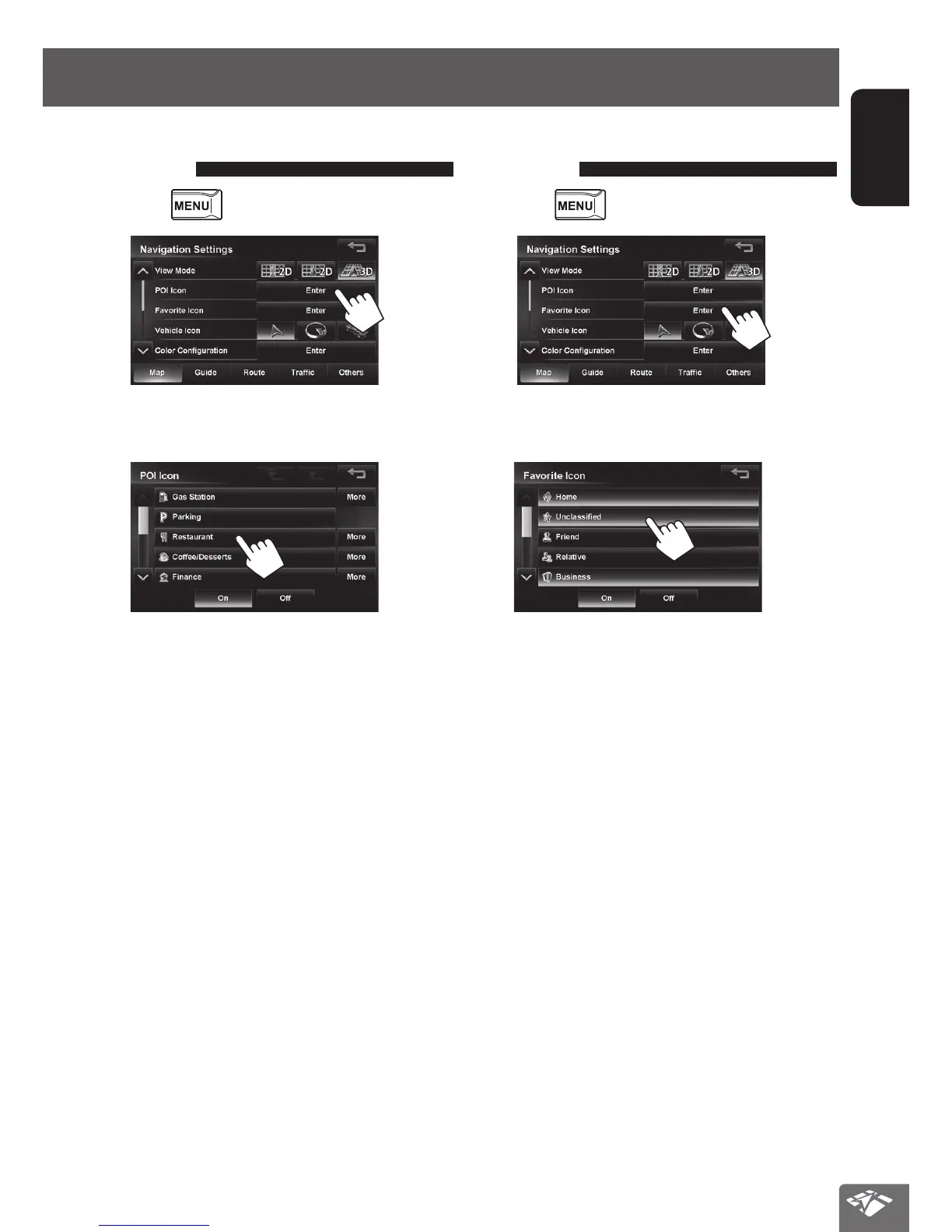
To display/hide POI icons on
the map
1 Press - <Settings> - <Navigation>.
2
3 Select categories (1) of POI which you want
to be displayed on the map.
• When you press an item, it is highlighted.
When you press again, the selection is canceled.
•
If you press [More], you can select sub-categories.
• If you press [Off], selected POI icons are not
displayed. If you press [On], selected POI icons
are displayed.
To display/hide Favorite icons on
the map
1 Press - <Settings> - <Navigation>.
2
3 Select categories of Favorite Icons that you
want to be displayed on the map.
• When you press an item, it is highlighted.
When you press again, the selection is canceled.
• If you press [Off], selected Favorite icons are not
displayed. If you press [On], selected Favorite
icons are displayed.
EN_KW-NT510HDT_NT310[J].indb 19 11/8/2012 2:49:22 PM



 To Next Page