53
ENGLISH
Listening to the radio (For KW-NT310)
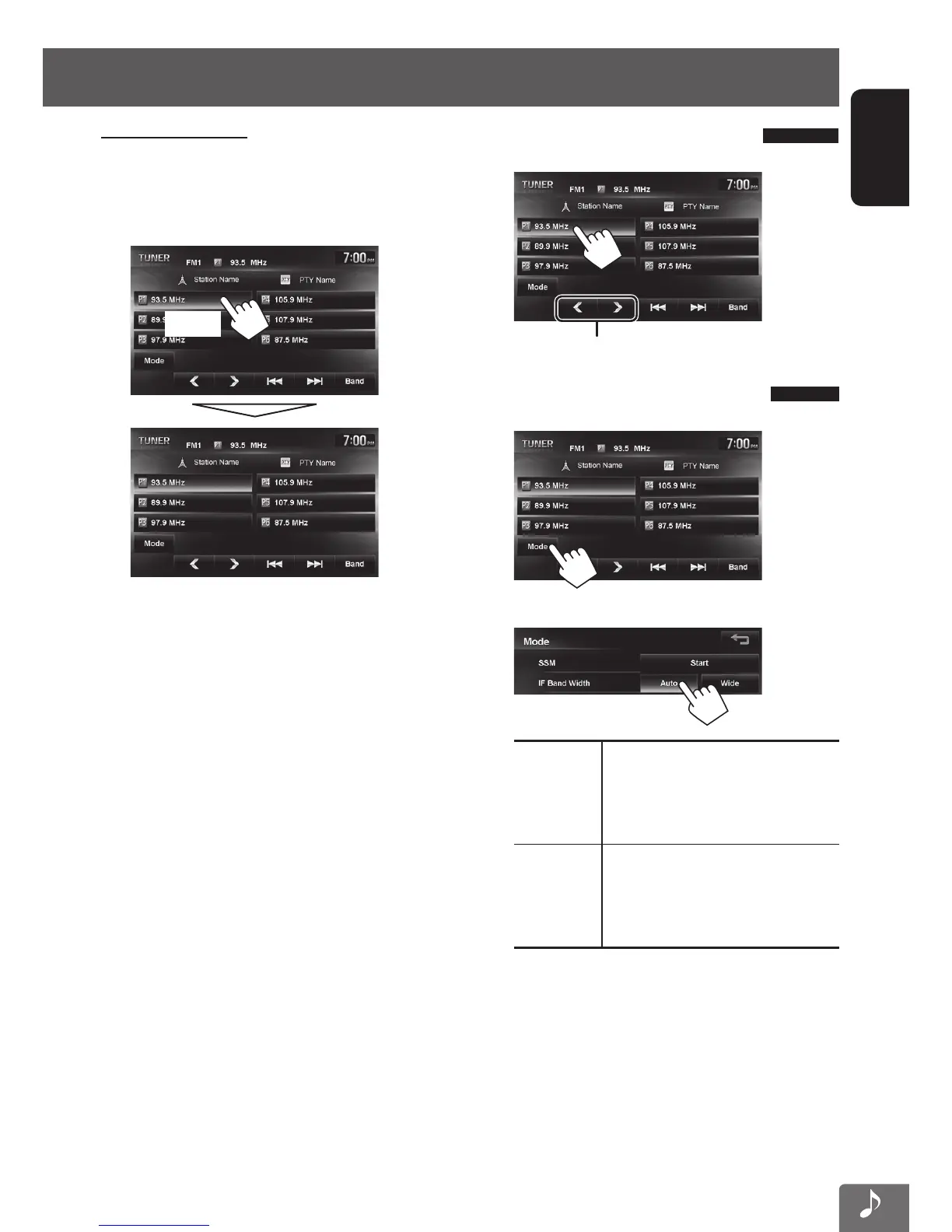
Manual presetting
1 Tune in to a station or channel you want to
preset. (☞ page 52)
2 Select a preset number.
[Hold]
Selecting a preset station
1
Also changes preset stations
Reducing the interference
1
2
Auto Increases the tuner selectivity to
reduce interference noises between
adjacent stations. (Stereo effect may
be lost.)
Wide Subject to the interference from
adjacent stations, but sound quality
will not be degraded and the stereo
effect will remain.
EN_KW-NT510HDT_NT310[J].indb 53 11/8/2012 2:49:27 PM



 To Next Page