28
ENGLISH
How you are guided
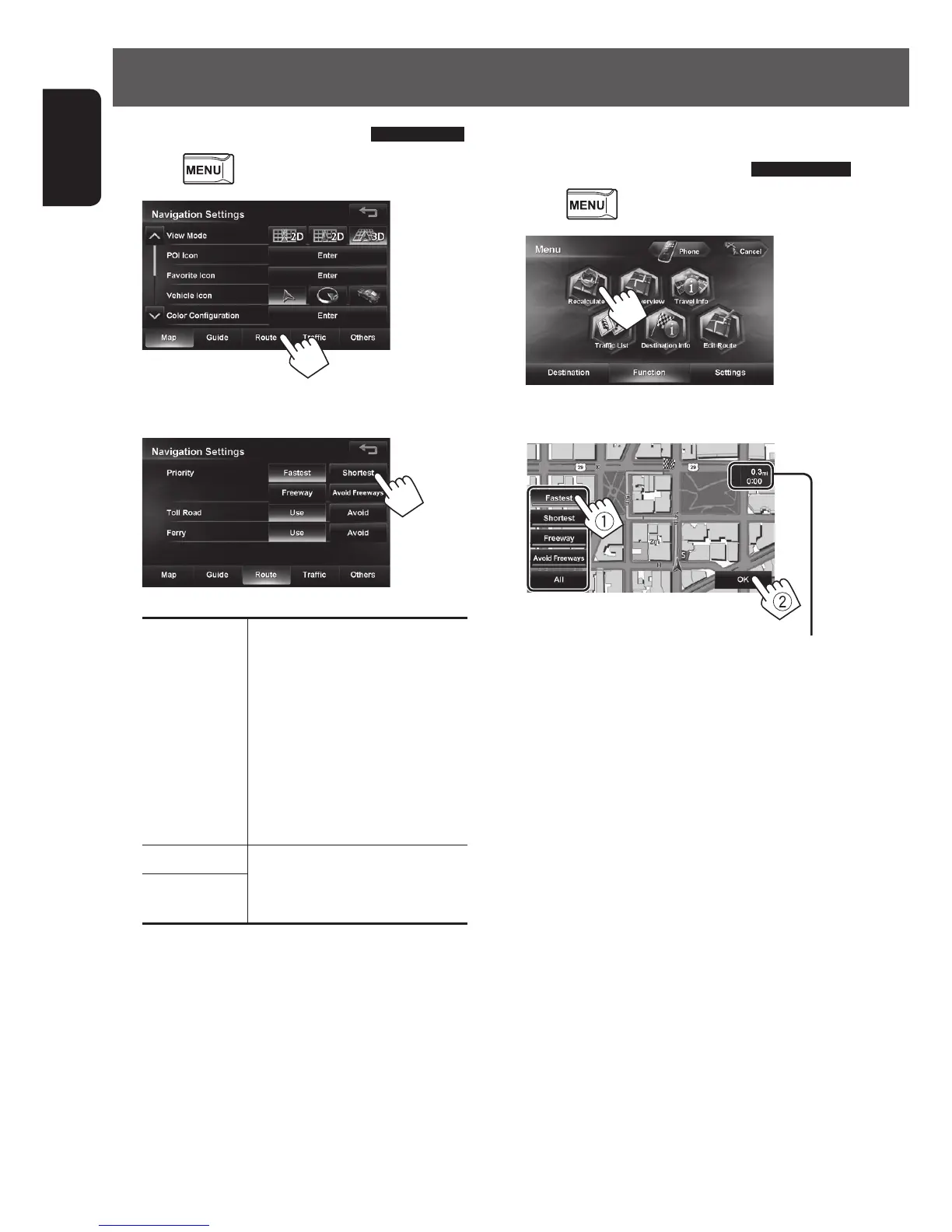
Changing route options
1 Press - <Settings> - <Navigation>.
2
3 Set options.
Priority Select the priority for route
calculation ([Fastest]:
the recommended route/
[Shortest]: the shortest route/
[Freeway]:the recommended
route by the most use of
freeways/[Avoid Freeways]:
the recommended route by the
least use of freeways.)
Toll Road Select whether to use ([Use]) or
avoid ([Avoid]) these types of
options for route calculation.
Ferry
Recalculating the route after
changing route options
1 Press - <Function>
2
3 Select a route (1), then press [OK](2).
The estimated time and distance to the
destination are displayed.
[Fastest]: The recommended route.
[Shortest]: The shortest route.
[Freeway]: The recommended route by the most
use of freeways.
[Avoid Freeways]:
The recommended route by the least
use of freeways.
[All]:
Displays all above four routes at once.
• Route select screens always displayed using the 2D
North up map view regardless of the current map
view setting. (☞ page 17)
EN_KW-NT510HDT_NT310[J].indb 28 11/8/2012 2:49:23 PM



 To Next Page