69
ENGLISH
iPod/iPhone operations
3
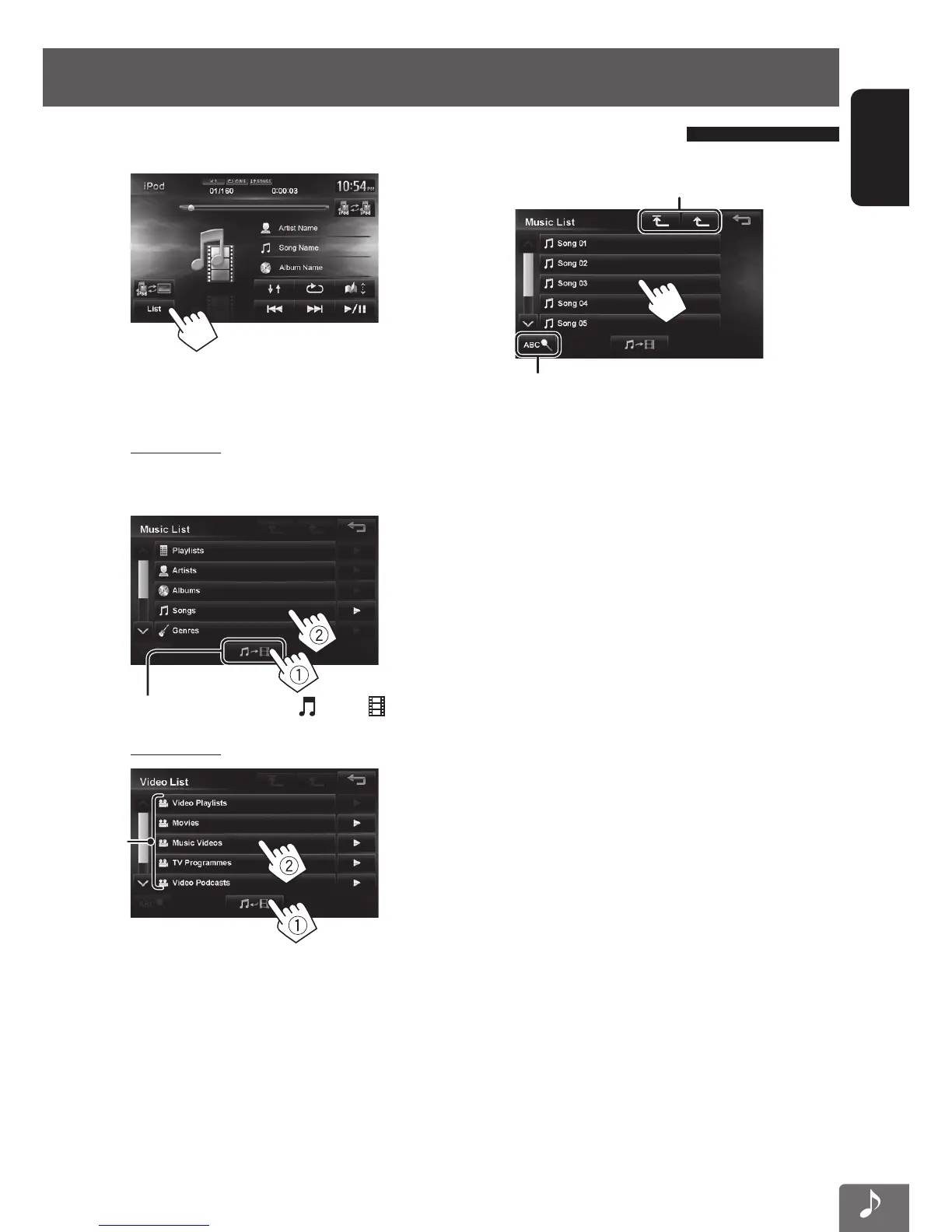
Displays the top/previous layer
See page 70
1
2 Select the menu (Music or Video) (1), a
category (2).
Music menu:
Select the item in the selected layer until a desired
track starts playing.
Corresponding icon lights in blue. ( : Music / : Video)
Video menu:
*
1
• Available categories depend on the type of your iPod/
iPhone.
*
1
These categories are shown in the language selected
on your iPod/iPhone.
Selecting a track/video from menu on the iPod/iPhone
EN_KW-NT510HDT_NT310[J].indb 69 11/8/2012 2:49:29 PM



 To Next Page