ENGLISH
103
Using Bluetooth mobile phone
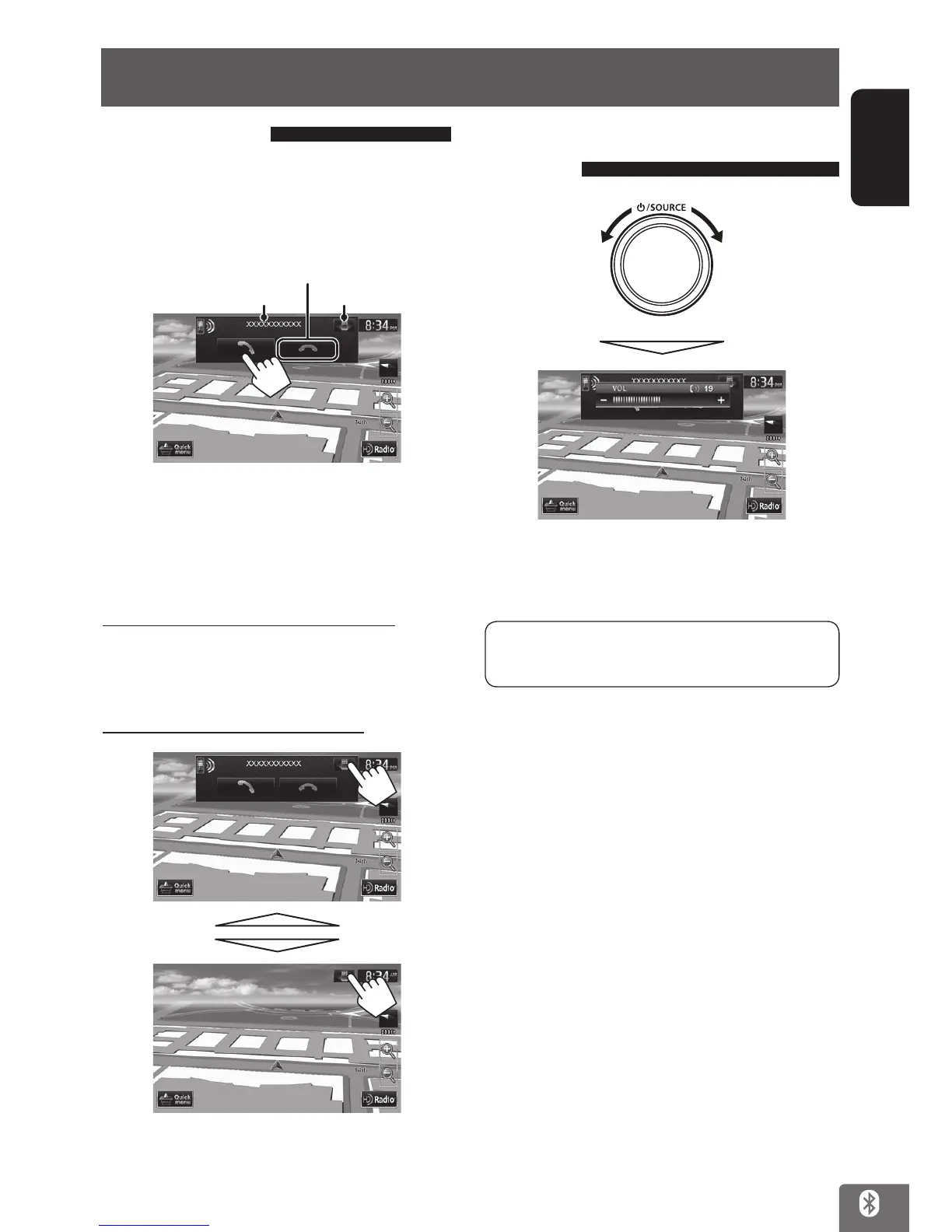
Receiving a call
When a call comes in/making a call...
On map screen:
The mobile phone control bar appears.
Ends/rejects the call
Call information
See below
•
Phone operation is not available while the picture
from the rear view camera is displayed (☞ page 110).
When <Auto Answer> is set to <On>
The unit answers the incoming call automatically.
(☞ page 109)
Hiding/displaying the control bar
Adjusting the volume of calls/
earpiece
Decrease Increase
• This adjustment does not affect the volume level of
the other sources.
This adjustment does not affect the microphone
volume. It is adjusted automatically.
EN_KW-NT510HDT_NT310[J].indb 103 11/8/2012 2:49:34 PM



 To Next Page