95
ENGLISH
Setting the Sound
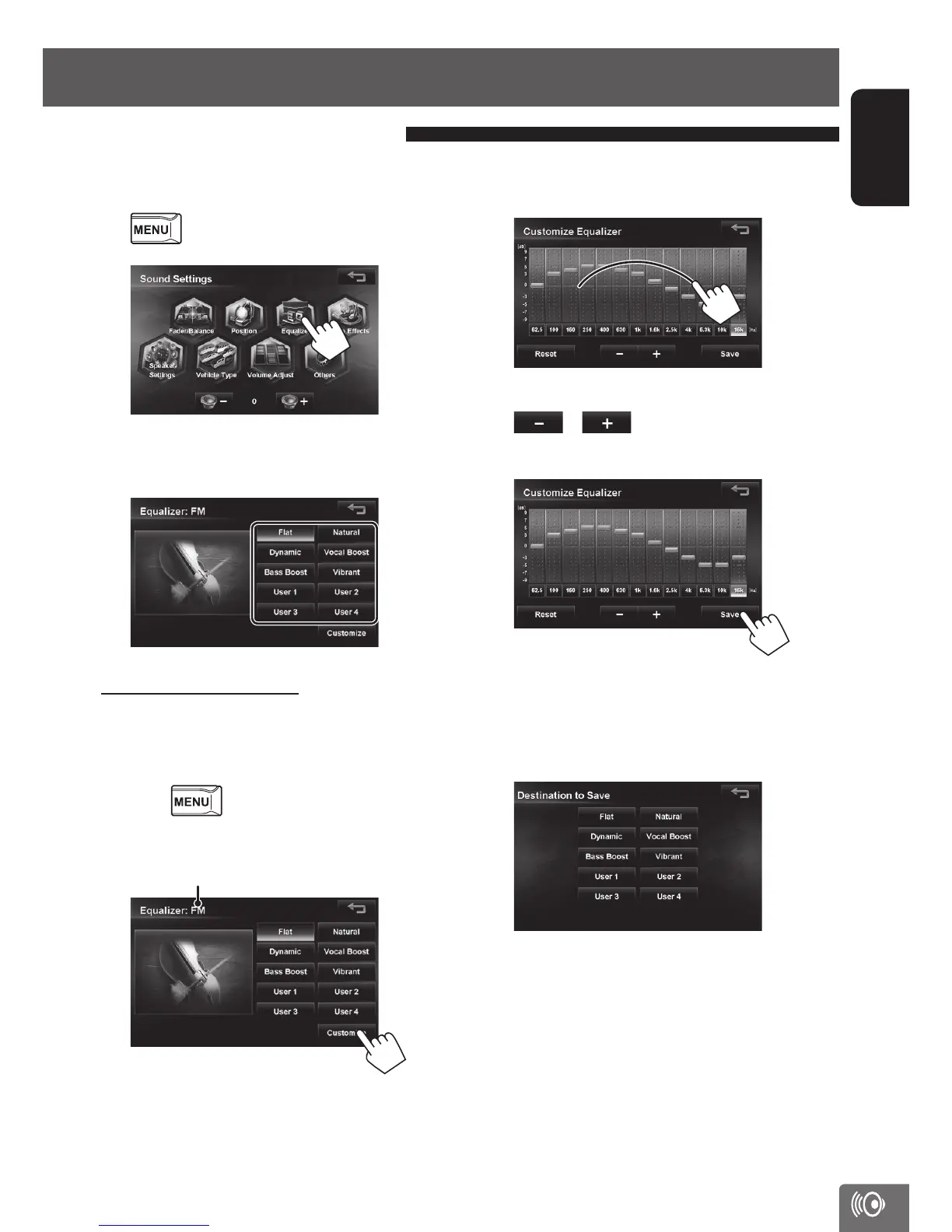
The preset equalizer can be set by source here.
1 Select a source you want to set and press
- <Settings> - <Sound>.
2
3 Select a genre of the preset equalizer and
touch it.
To set the user equalizer:
You can change the curve of the preset equalizer or set
your own original equalizer curve.
1 Select a source you went to set, and
press
- <Settings> - <Sound>
- <Equalizer>.
2
Current source
3 Trace the equalizer curve on the screen you
want to set.
You can touch to select the frequency and touch
or to set the level.
4 Touch [Save].
Touching [Reset] displays a confirmation message.
Touching [Yes] resets the equalizer curve to the
default setting.
5 Select the destination.
Setting the preset equalizer
EN_KW-NT510HDT_NT310[J].indb 95 11/8/2012 2:49:33 PM



 To Next Page