94
ENGLISH
Setting the Sound
Furthermore, if <Level> is used for the
adjustment, adjust the DTA while listening to the
sound.
5 Repeat steps 3 and 4 to set all of the
speakers.
• When the sizes of the rear speaker and
subwoofer are set to <None>, the DTA of those
speakers cannot be adjusted.
• If you touch [Reset] in step 4, a confirmation
message appears. If you touch [Yes], all speaker
adjustments of the listening position under
adjustment are returned to the default settings.
To fine-tune the DTA for the listening
position:
You can fine-tune the DTA so it best fits the actual
listening position.
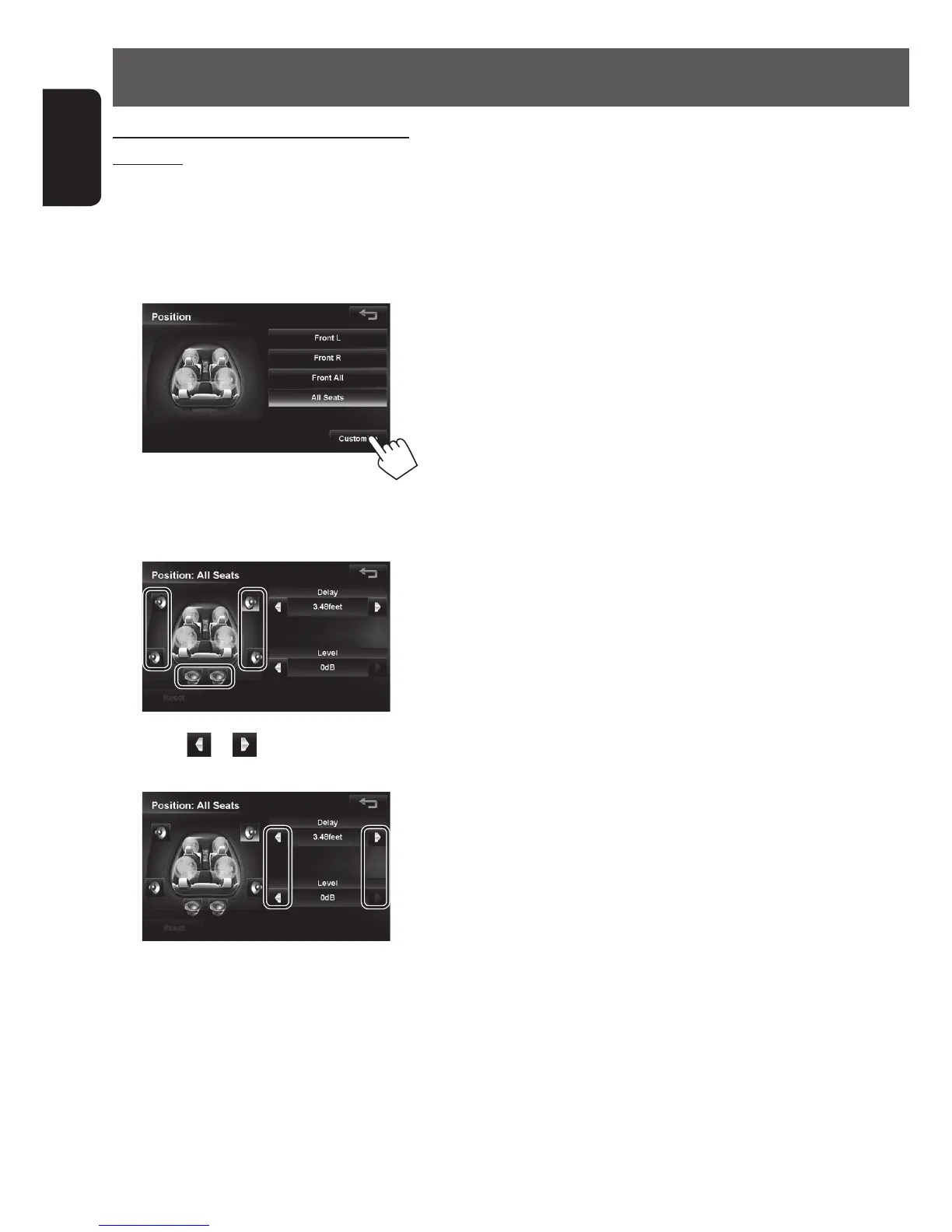
1 Select a listening position.
2 Touch [Customize].
3 Touch the button of the speaker to be
adjusted.
4 Touch or of <Delay> or <Level>and
adjust it.
When using <Delay> to adjust the DTA, input the
actually measured distance.
In this case, when <All Seats> is selected in
Position, specify the distance from the center of all
seats, and when <Front All> is selected, specify
the distance from the midpoint between the right
and left seats.
EN_KW-NT510HDT_NT310[J].indb 94 11/8/2012 2:49:32 PM



 To Next Page