ENGLISH
79
SiriusXM Radio operations
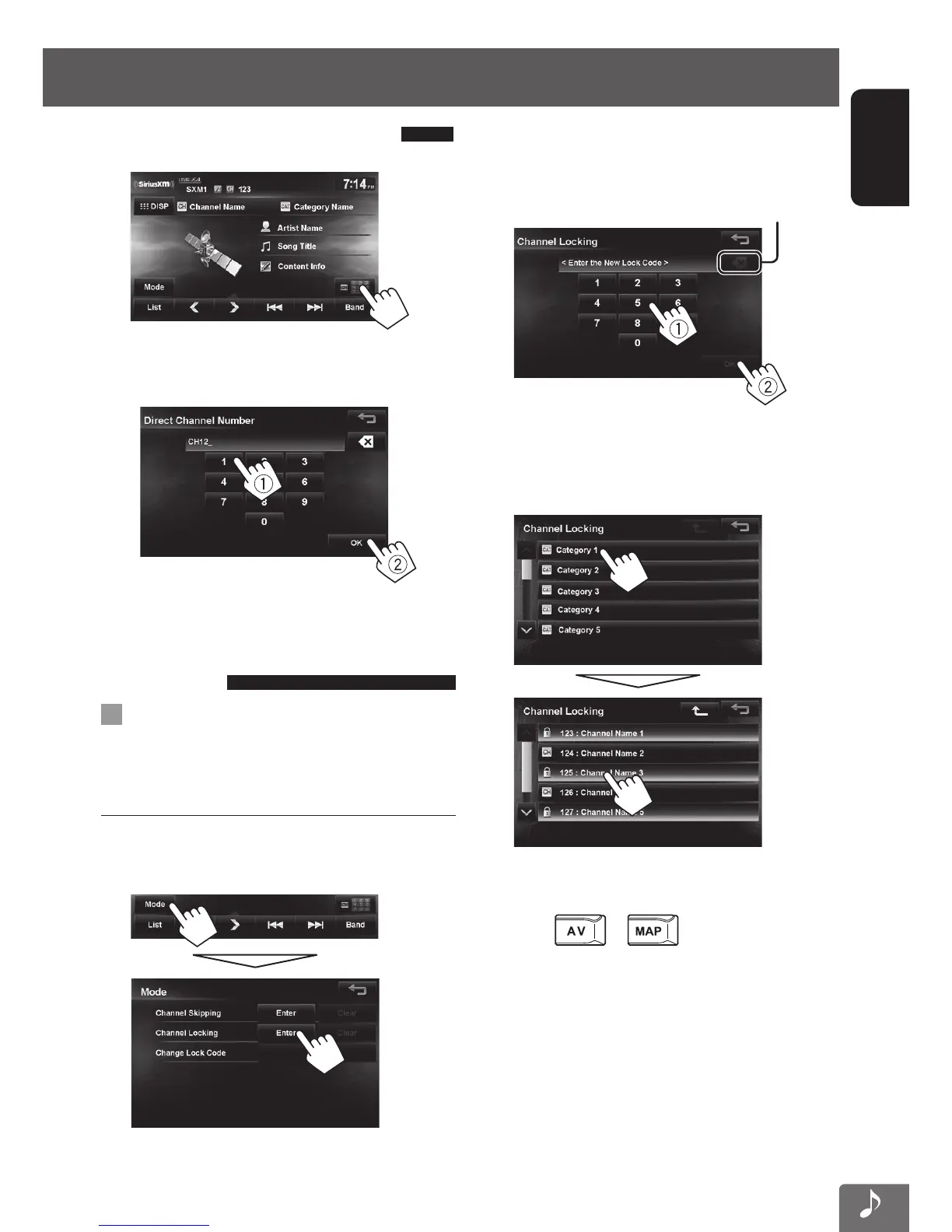
Selecting a channel directly
1
2 Enter the channel number (1), then press
[OK] (2).
Setting the reception
restrictions
Setting the channel locking
You can set the channel locking in order to, for example,
restrict children from receiving adult channels.
Setting the lock code and the channels to lock
• No lock code is set at factory shipment.
1 Display <Channel Locking> screen.
2
Enter a 4-digit new code number (1), then
press [OK] (2).
Press: Deletes last character
Hold: Deletes all characters
3 Enter the same code, then press [OK].
4 Select the category, then the channel you
want to activate the channel locking.
If you want to set locking to multiple channels,
repeat step 4.
5 Press or to finish.
EN_KW-NT510HDT_NT310[J].indb 79 11/8/2012 2:49:30 PM



 To Next Page