18
ENGLISH
Basic operations
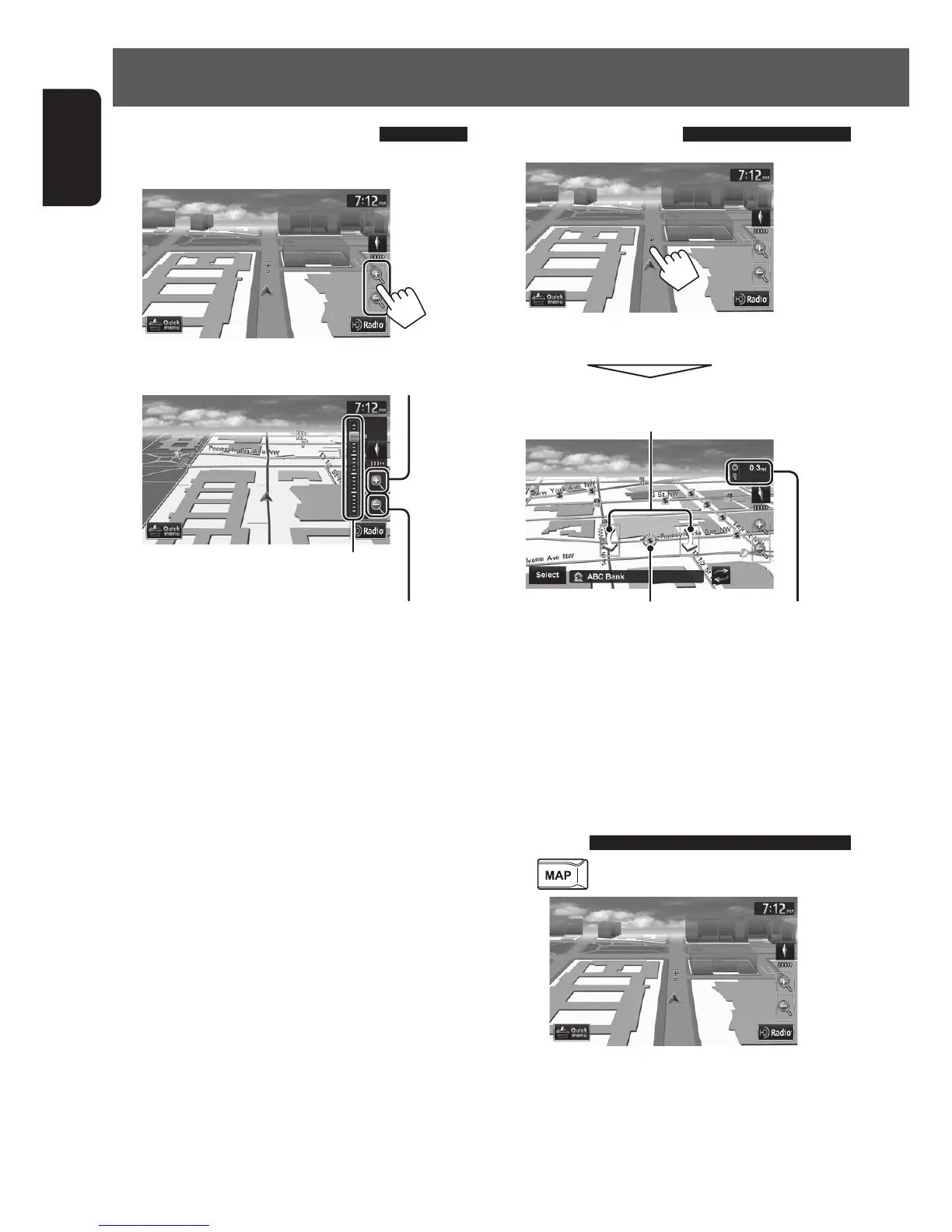
To change the map scale
1 Display the zoom buttons and scale buttons.
2
Zoom out
You can also zoom in and out by sliding
the slider.
Zoom in
• When the AV control bar is displayed, slider is
not shown.
To scroll the map
The position you touched is centered on the map.
Direction and distance of
the destination from your
current position
(only for 3D map) Touch the arrow to
rotate the map 360 degrees
(cursor) Target position
of operation
• Touch and hold the map to keep scrolling the map.
• If you touch and hold the map near the cursor, the
map keeps scrolling slowly.
To display your current
position
Press .
EN_KW-NT510HDT_NT310[J].indb 18 11/8/2012 2:49:22 PM



 To Next Page