59
ENGLISH
Disc operations
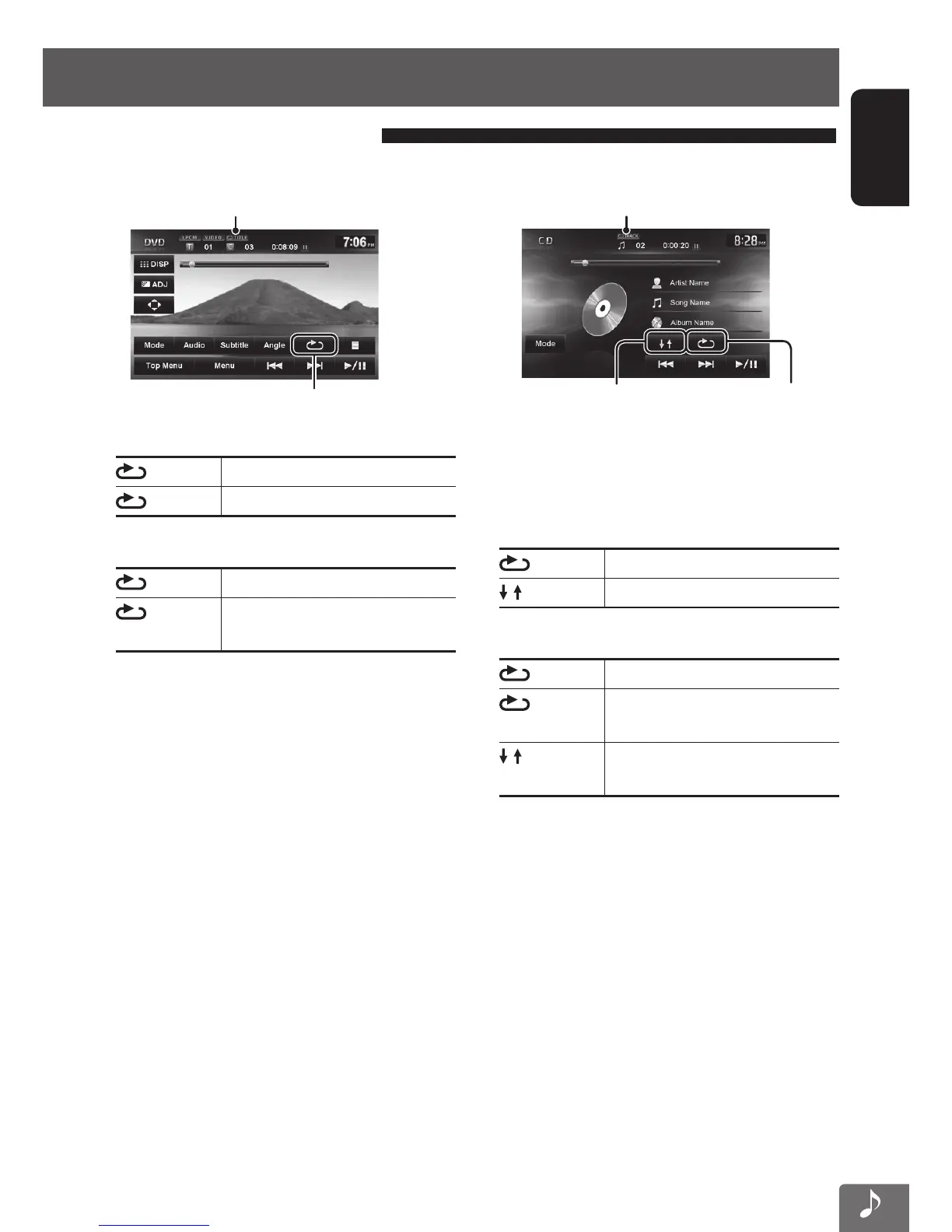
Selecting playback modes
For CD/MP3/WAV/WMA/AAC
Selects Repeat
playback mode
Selects Random
playback mode
Playback mode
• You cannot activate the repeat mode and the random
mode at the same time.
• For CD:
TRACK
Repeats current track.
DISC Randomly plays all tracks.
• For MP3/WAV/WMA/AAC:
TRACK
Repeats current track.
FOLDER
Repeats all tracks of the current
folder.
FOLDER Randomly plays all tracks of current
folder, then tracks of next folders.
• Press the button repeatedly until the desired
playback mode is selected.
To cancel, press the button repeatedly until the
indicator disappears.
For DVD/DVD-VR
Playback mode
Selects Repeat playback mode
• For DVD:
CHAP.
Repeats current chapter.
TITLE
Repeats current title.
• For DVD-VR:
CHAP.
Repeats current chapter.
PROG.
Repeats current program (not
available for Playlist playback).
• Press the button repeatedly until the desired
playback mode is selected.
To cancel, press the button repeatedly until the
indicator disappears.
EN_KW-NT510HDT_NT310[J].indb 59 11/8/2012 2:49:28 PM



 To Next Page