ENGLISH
83
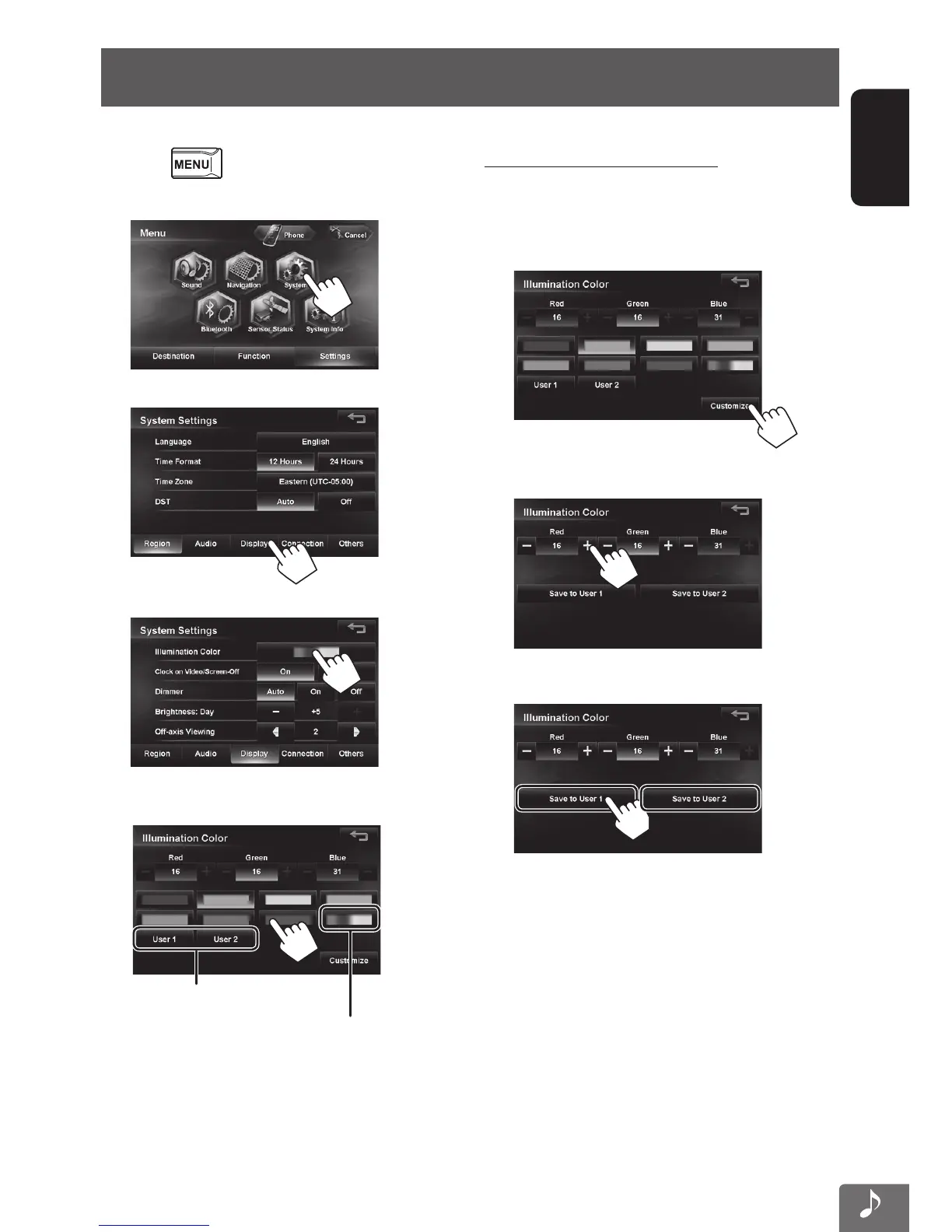
Changing illumination color
You can change the illumination color of the buttons on the monitor panel.
1 Press - <Settings>.
2
3
4
5 Select a color.
Your own color stored (☞ right)
Variable color illumination
• Illumination color changes gradually.
Saving your own adjustments
• When variable color illumination is selected, you
cannot adjust the color.
1 After selecting a color in step 5 on the left...
2 Adjust the color.
3 Save the adjustment into User1 or User2.
EN_KW-NT510HDT_NT310[J].indb 83 11/8/2012 2:49:31 PM



 To Next Page