102
ENGLISH
Using Bluetooth device
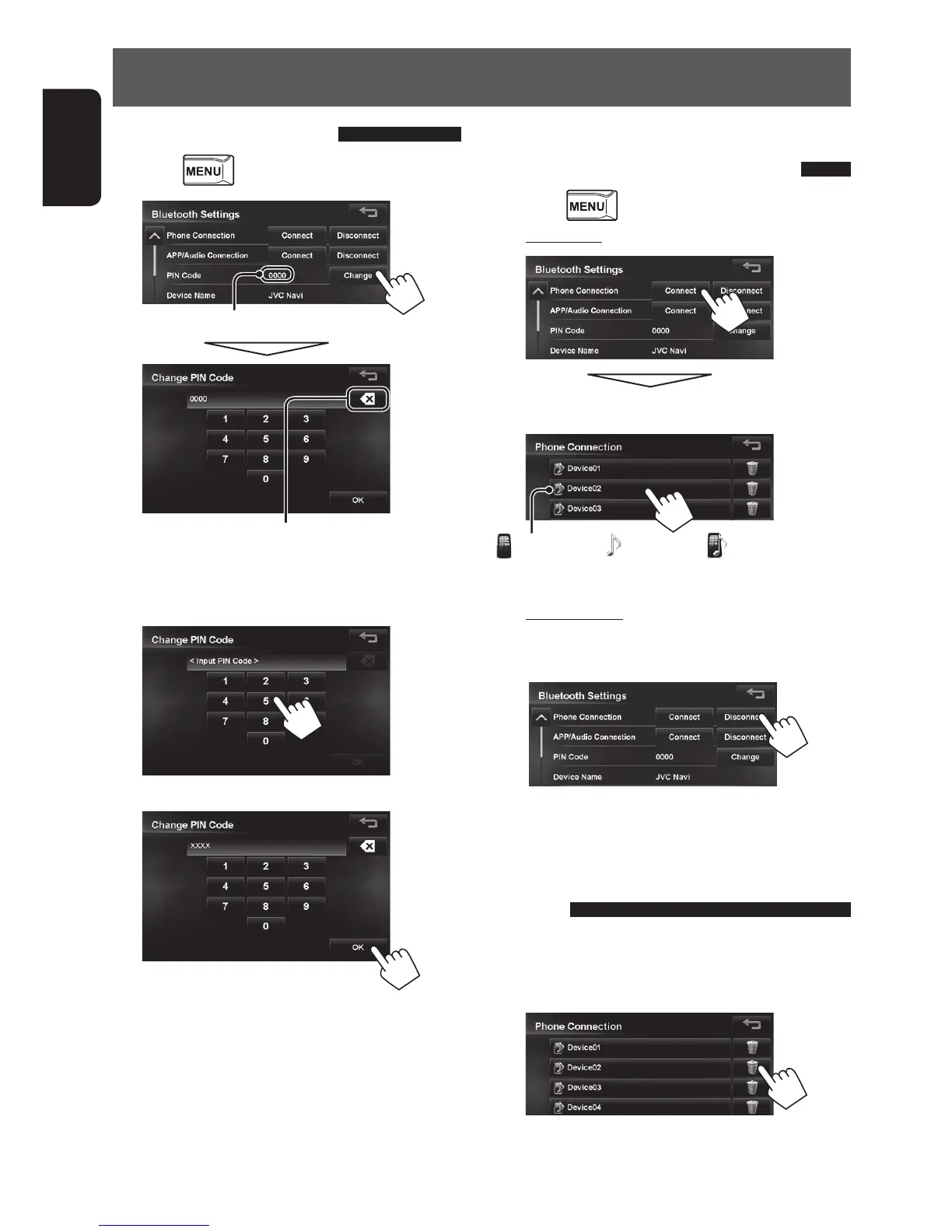
Change the PIN code
1 Press - <Settings> - <Bluetooth>.
2
PIN code (initial: 0000)
Press: Deletes last character
Hold: Deletes all characters
3 Enter the new 4-8 digit PIN code.
4
Connecting/disconnecting a
registered Bluetooth device
1 Press - <Settings> - <Bluetooth>.
2 To connect
Select the device you want to connect.
: mobile phone / : audio player / : both mobile phone
and audio player
To disconnect
Disconnect the device currently connected to the
unit.
A confirmation message appears.
Deleting a registered Bluetooth
device
Select a device whose registration you want to
delete on the list (step 2 above) of registered
devices.
A confirmation message appears.
EN_KW-NT510HDT_NT310[J].indb 102 11/8/2012 2:49:34 PM



 To Next Page