49
ENGLISH
Listening to the HD Radio™ broadcast (For KW-NT510HDT)
Alert messages received via HD Radio are displayed on
the screen.
[Snooze]: Do not interrupt the same alert message for
10 minutes.
[
Ignore
]:
Do not interrupt the same alert message for
12 hours.
• These settings are cancelled when you turn off the
power.
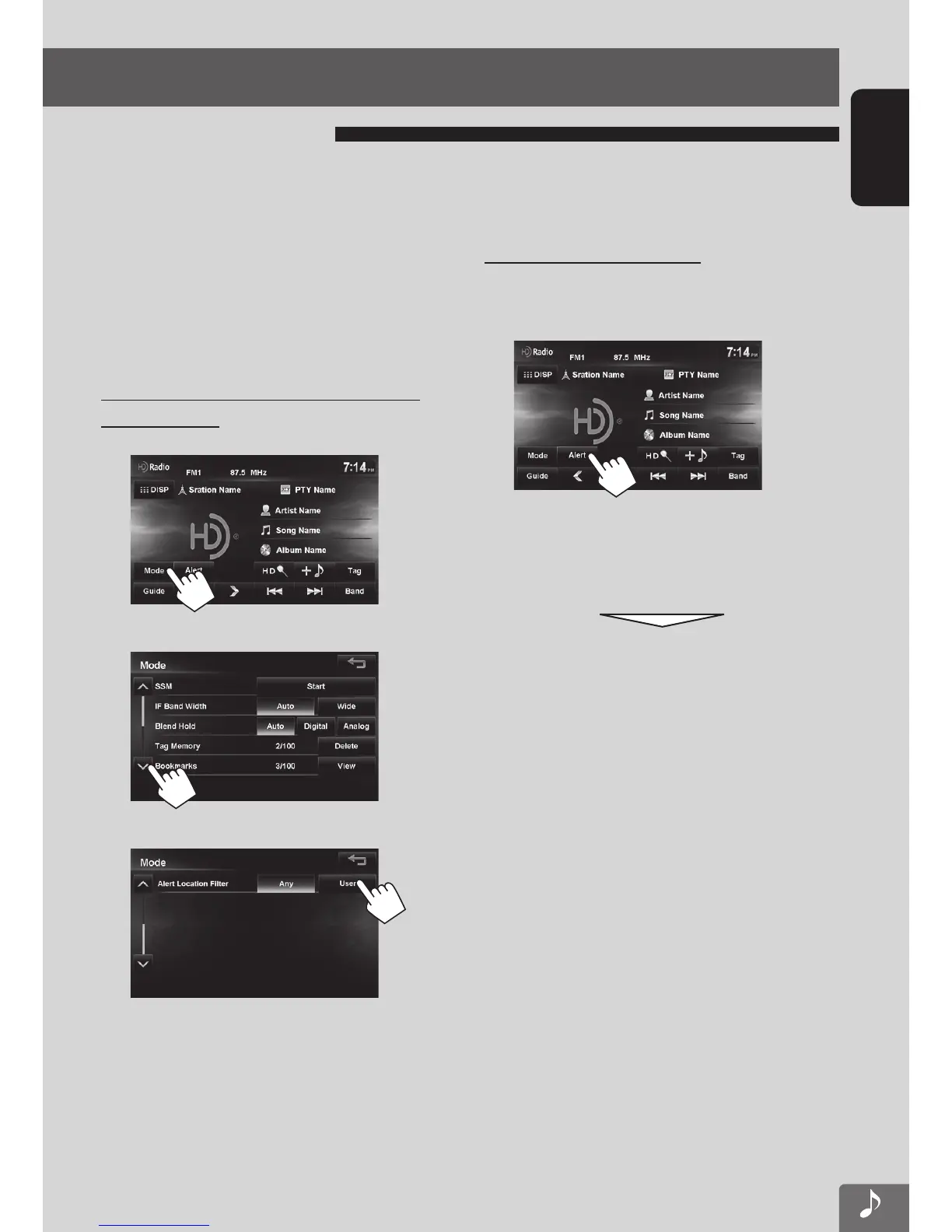
Setting the location (state) for receiving
alert messages
1
2
3
• When [Any] is selected, alert messages for all
locations are received.
4 Select locations.
• When you press an item, it is highlighted.
When you press again, the selection is canceled.
Checking the Alert Message
You can view the 10 most recent alert messages that
have been received.
1
2 Select the alert message that you want to
view.
The indicators for the current active alerts light.
The alert message is displayed.
About alert messages
EN_KW-NT510HDT_NT310[J].indb 49 11/8/2012 2:49:27 PM



 To Next Page