56
ENGLISH
Disc operations
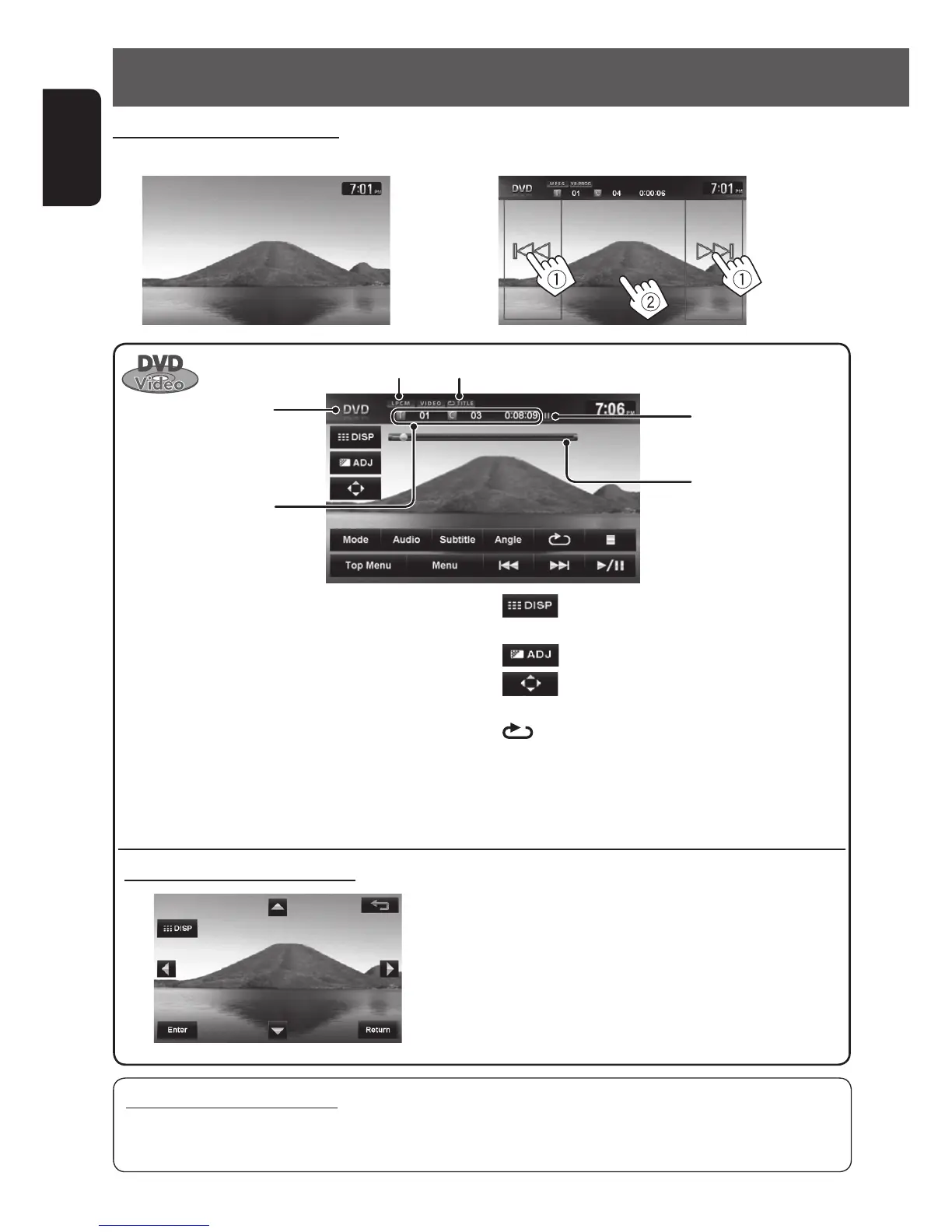
[3 / 8] Starts playback/pauses.
[7] Stops playback.
[4] [¢] Press: Selects chapter.
Hold: Reverse/forward search .
(Search speed: x2 ] x10)
[Angle] Selects view angle.
[Audio] Selects audio language.
[Subtitle] Selects subtitle language.
[Menu] Displays the disc menu.
[Top Menu]
Using the menu selecting screen
[5] [∞] [2] [3] Selects the menu items.
[Enter] Confirms the selection.
[Return] Returns to the previous menu.
[
]
Hides/displays the operating
buttons on the screen.
[
]
Adjusts the picture. (☞ page 84)
[
]
Displays the menu selecting
screen. (☞ below)
[
] Selects repeat playback mode.
(☞ page 59)
[Mode] Changes the settings for disc
playback. (☞ page 60)
Caution for DualDisc playback
The Non-DVD side of a “DualDisc” does not comply with the “Compact Disc Digital Audio” standard. Therefore,
the use of Non-DVD side of a DualDisc on this product may not be recommended.
Audio format
Title no./Chapter no./
Playing time
Disc type
Playback mode
Playback status
(8: pause/7: stop)
Watching DVD Video/DVD-VR
(DVD Video playback screen)
(Skipping/searching (1), show the operating buttons (2))
Seek bar
EN_KW-NT510HDT_NT310[J].indb 56 11/8/2012 2:49:27 PM



 To Next Page