67
ENGLISH
iPod/iPhone operations
* To cancel random or repeat mode, press the button repeatedly until the indicator disappears.
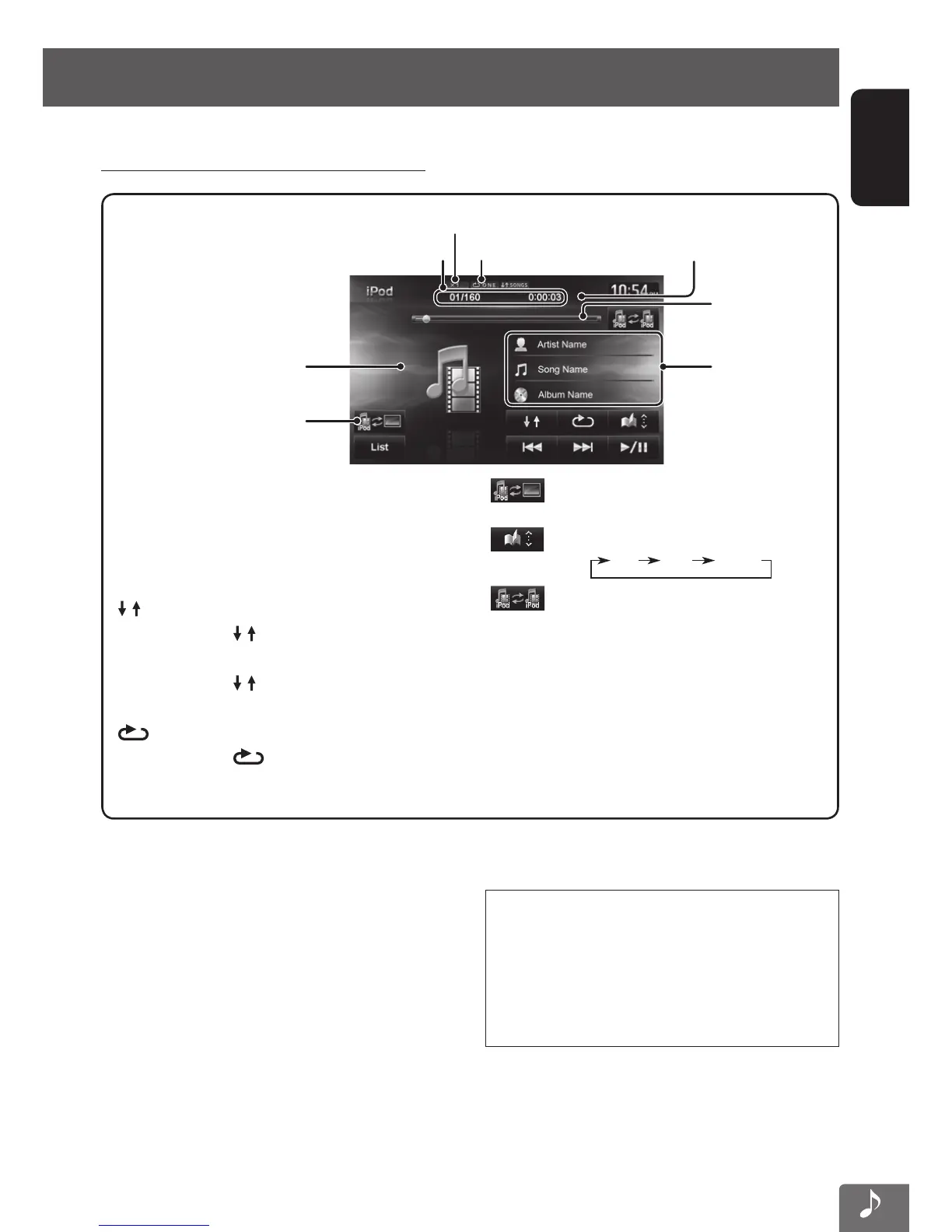
Track no./Total track number/Playing time
iPod control mode (☞ page 66)
Playback mode
While playing, Artwork (the
picture displayed on the screen
of iPod/iPhone) is shown if the
song contains the Artwork.
[3 / 8] Starts playback/pauses.
[4] [¢] Press: Selects track.
Hold: Reverse/forward search.
[List] Displays the Music menu on the
iPod/iPhone. (☞ page 69)
[
] Selects Random playback mode. *
•
SONGS: Functions the same as
“Shuffle Songs (Videos)”.
•
ALBUMS: Functions the same
as “Shuffle Albums”.
[
]
Selects Repeat playback mode. *
•
ONE: Functions the same as
“Repeat One”.
[
]
Changes the iPod control mode.
(☞ page 66)
[
]
Selects the speed of audio books.
X1 X2 X1/2
[ ]
Selects the iPod/iPhone to play
when multiple iPods/iPhones are
connected.
Tag data appears
only when it is
recorded
• When playing back a track containing Artwork ,
operating buttons temporarily disappear while
loading its Artwork.
Notice:
When operating an iPod/iPhone, some operations
may not be performed correctly or as intended. In
this case, visit the following JVC web site: <http://
www3.jvckenwood.com/english/car/> (English
website only)
• The operations explained in this manual are under Head mode (☞ page 66).
Listening to the music in the iPod/iPhone
The speed of audio books
Playback status (8: pause)
Seek bar
EN_KW-NT510HDT_NT310[J].indb 67 11/8/2012 2:49:29 PM



 To Next Page