72
ENGLISH
iHeartRADIO operations (For iPhone)
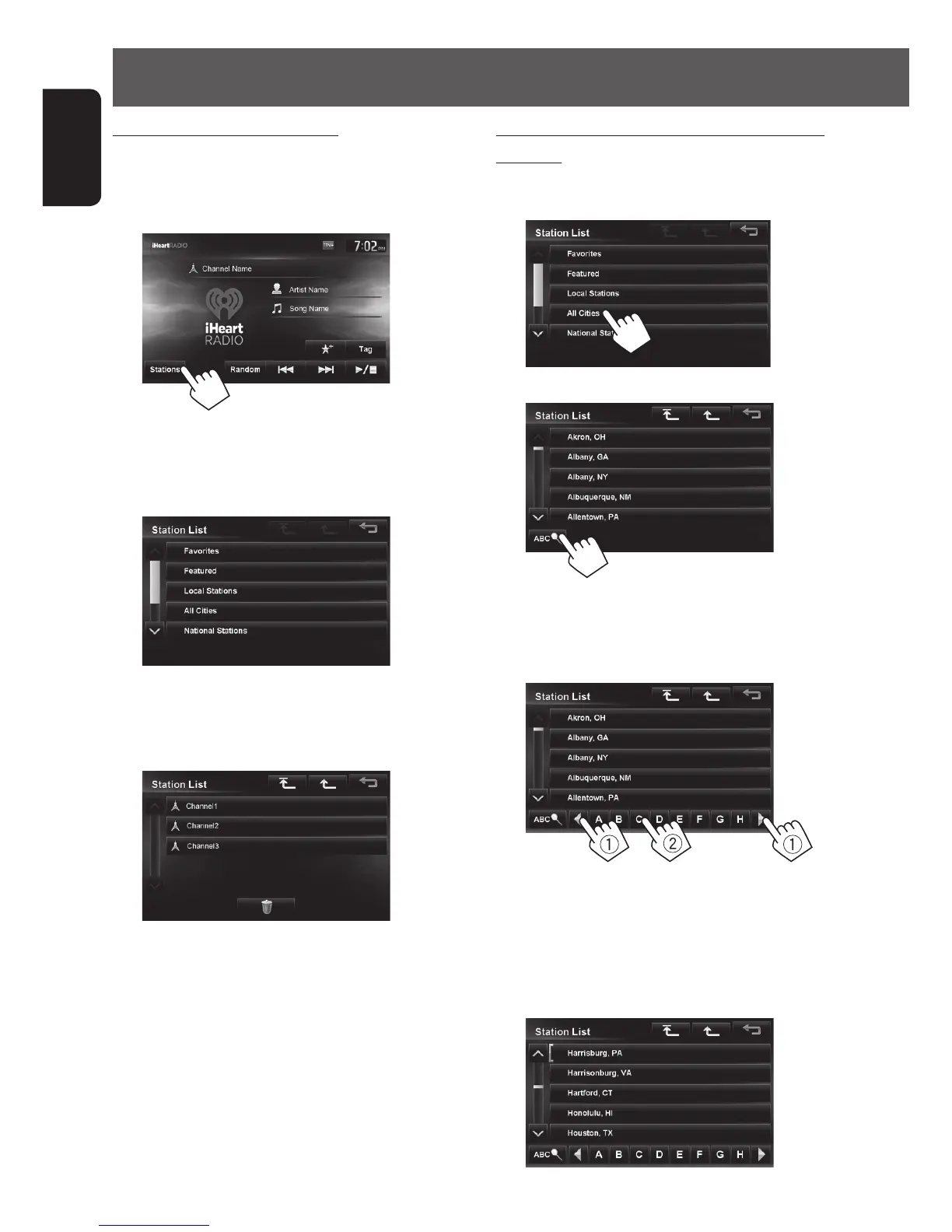
Searching for stations in All Cities category by
alphabet
1 Press [Stations].
2
3
4 Display the first character of the station you
want to search for (1), then search for a
station (2).
Press the character button repeatedly until the
desired station is displayed.
• Only available characters are selectable.
5 Select the desired station from the Station
List.
Searching from the Station List
You can use the Station List screen to search for
stations.
1 Press [Stations].
• It may take time to display lists with many items.
2 Select the station type.
• Favorite stations that were stored with the unit
are displayed in the Favorite list.
3 Select the desired station.
EN_KW-NT510HDT_NT310[J].indb 72 11/8/2012 2:49:30 PM



 To Next Page