ENGLISH
81
SiriusXM Radio operations
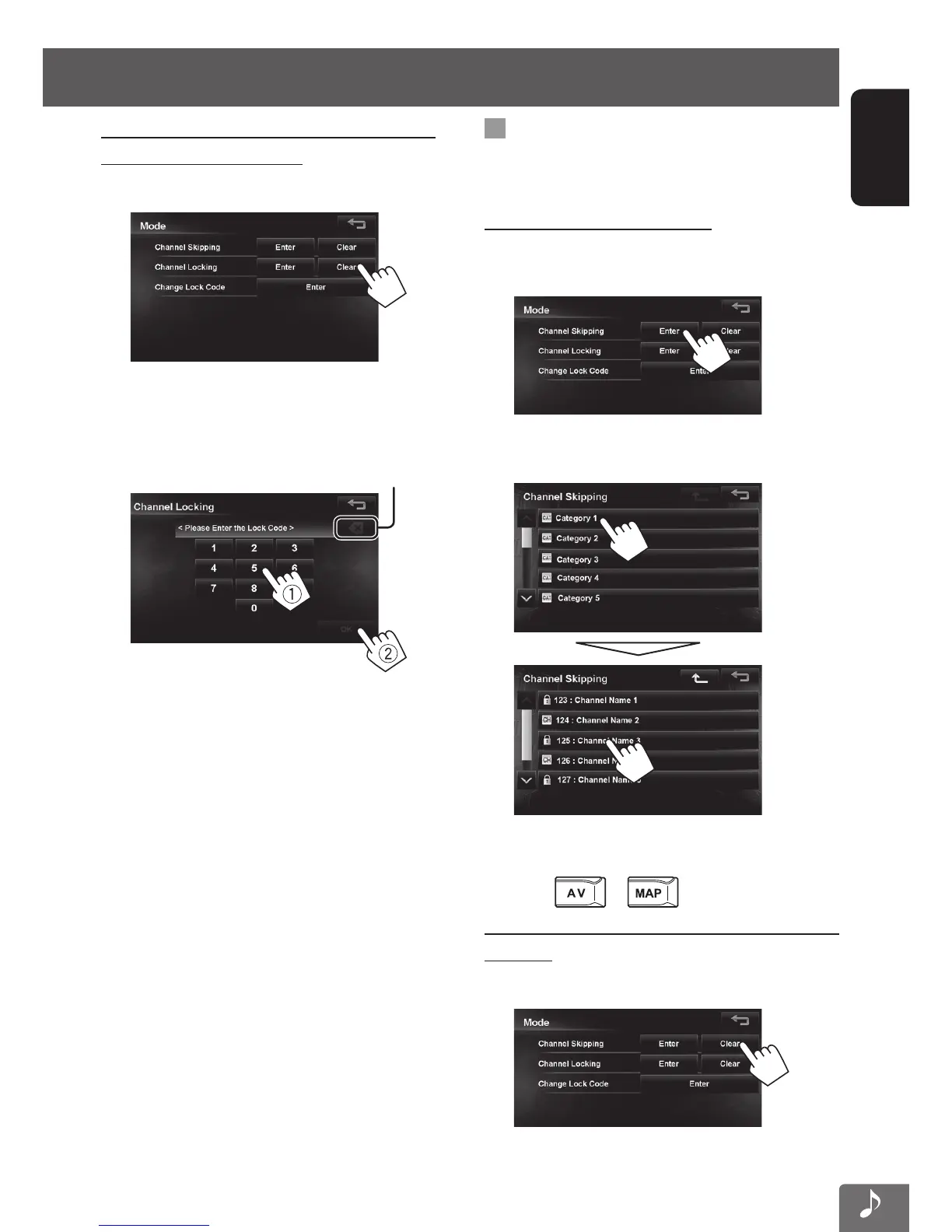
To clear the selection of channels with the
channel locking activated
1 On <Mode> screen.
2 Enter your lock code number (1) , then Press
[OK] (2).
Press: Deletes last character
Hold: Deletes all characters
A confirmation message appears.
Skipping the unwanted channels
If you do not want to receive some channels, you can
skip them.
Setting the channel skipping
1 Activate the channel skip function.
On <Mode> screen.
2 Select the category, then the channel you
want to skip.
• If you want to skip multiple channels, repeat
step 2.
3 Press or to finish.
To clear the selection of channels for channel
skipping
1 On <Mode> screen.
A confirmation message appears.
EN_KW-NT510HDT_NT310[J].indb 81 11/8/2012 2:49:31 PM



 To Next Page