92
ENGLISH
Setting the Sound
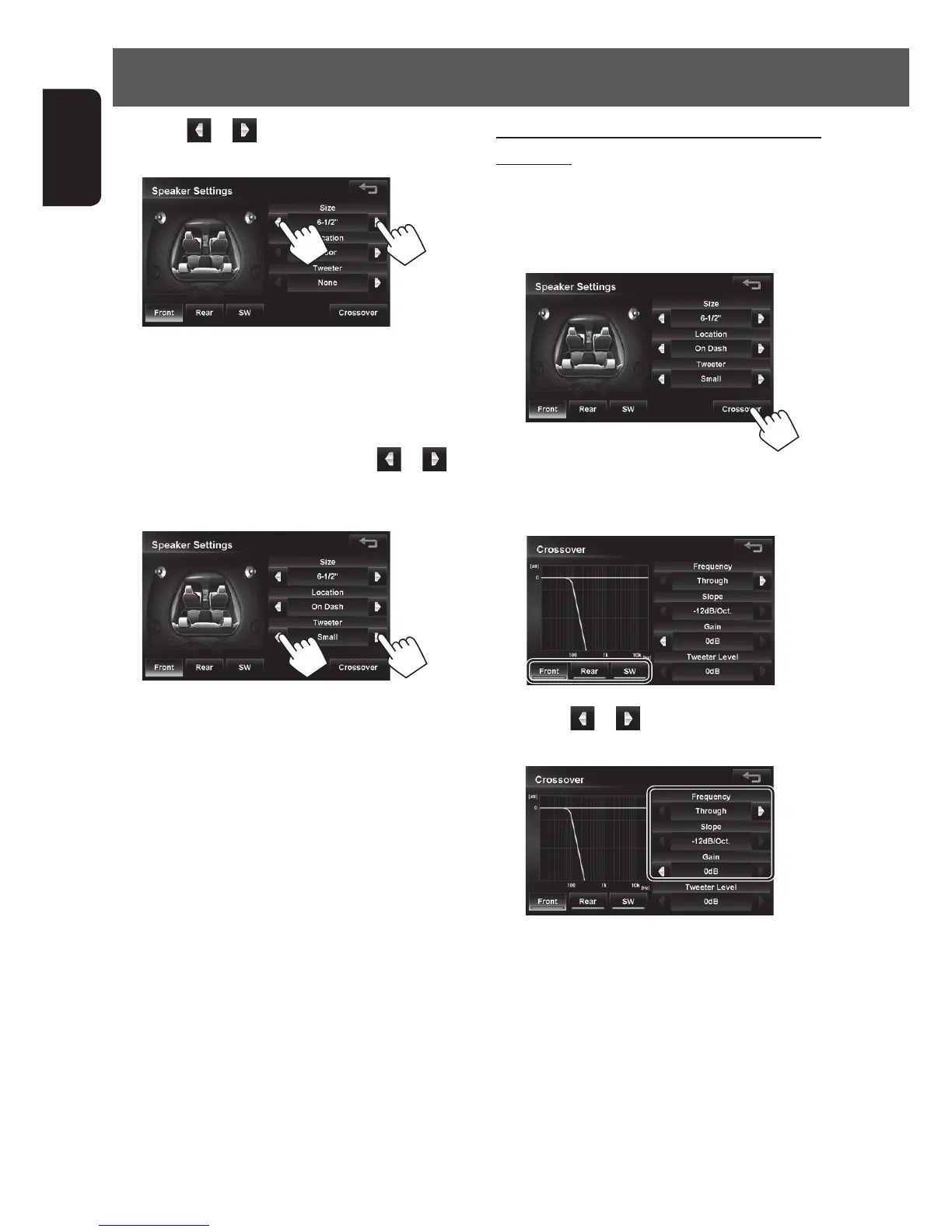
To change the crossover frequency of the
speakers:
Set the crossover frequency between the front/rear
speakers and the subwoofer, slope (attenuation rate)
and phase of the subwoofer.
1
2 Touch the button for the speaker where you
want to change the crossover frequency.
3 Touch or to set each item of the front
(or rear) speaker and subwoofer.
5 Touch or next to <Size> to set the
size of the speaker.
If the size is unknown, select <6-1/2”>.
If there is no speaker, select <None>.
• <None> (without speaker) cannot be set for
the size of the front speaker.
6 Only for the front speaker, touch or
next to <Tweeter> to set the size of the
tweeter.
• When <Size> is set to <None> for the
subwoofer, Crossover cannot be adjusted for the
subwoofer.
• When <Size> is set to <None> for the rear
speaker, Crossover cannot be adjusted for the
rear speaker.
EN_KW-NT510HDT_NT310[J].indb 92 11/8/2012 2:49:32 PM



 To Next Page