2600AS-901-01 Rev. B / September 2008 Return to Section Topics 11-3
Series 2600A System SourceMeter® Instruments Reference Manual Section 11: Display Operations
1 or display.SMUB
2 or display.SMUA_SMUB
3 or display.USER
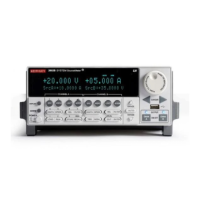
Display screen example:
The following command displays source-measure and compliance for SMU A:
display.screen = display.SMUA
Measurement functions
With a source-measure screen selected, the measured reading can be displayed as volts, amps,
ohms or watts.
The display.smuX.measure.func attribute is used to select the displayed measure function:
display.smuX.measure.func = function
where: smuX = smua or smub
function is set to one of the following values:
0 or display.MEASURE_DCAMPS
1 or display.MEASURE_DCVOLTS
2 or display.MEASURE_OHMS
3 or display.MEASURE_WATTS
Measurement function example:
The following command sets SMU A to display ohms measurements:
display.smua.measure.func = display.MEASURE_OHMS
Display resolution
Display resolution for measured readings can be set to 4-1/2, 5-1/2 or 6-1/2 digit resolution.
The display.smuX.digits attribute is used to set display resolution for measured readings:
display.smuX.digits = digits
Where: smuX = smua or smub
digits is set to one of the following values:
4 or display.DIGITS_4_5
5 or display.DIGITS_5_5
6 or display.DIGITS_6_5
Display resolution example:
The following command sets SMU A for 5-1/2 digit resolution for measured readings:
display.smua.digits = display.DIGITS_5_5







 To Next Page