ESP32 Starter Kit
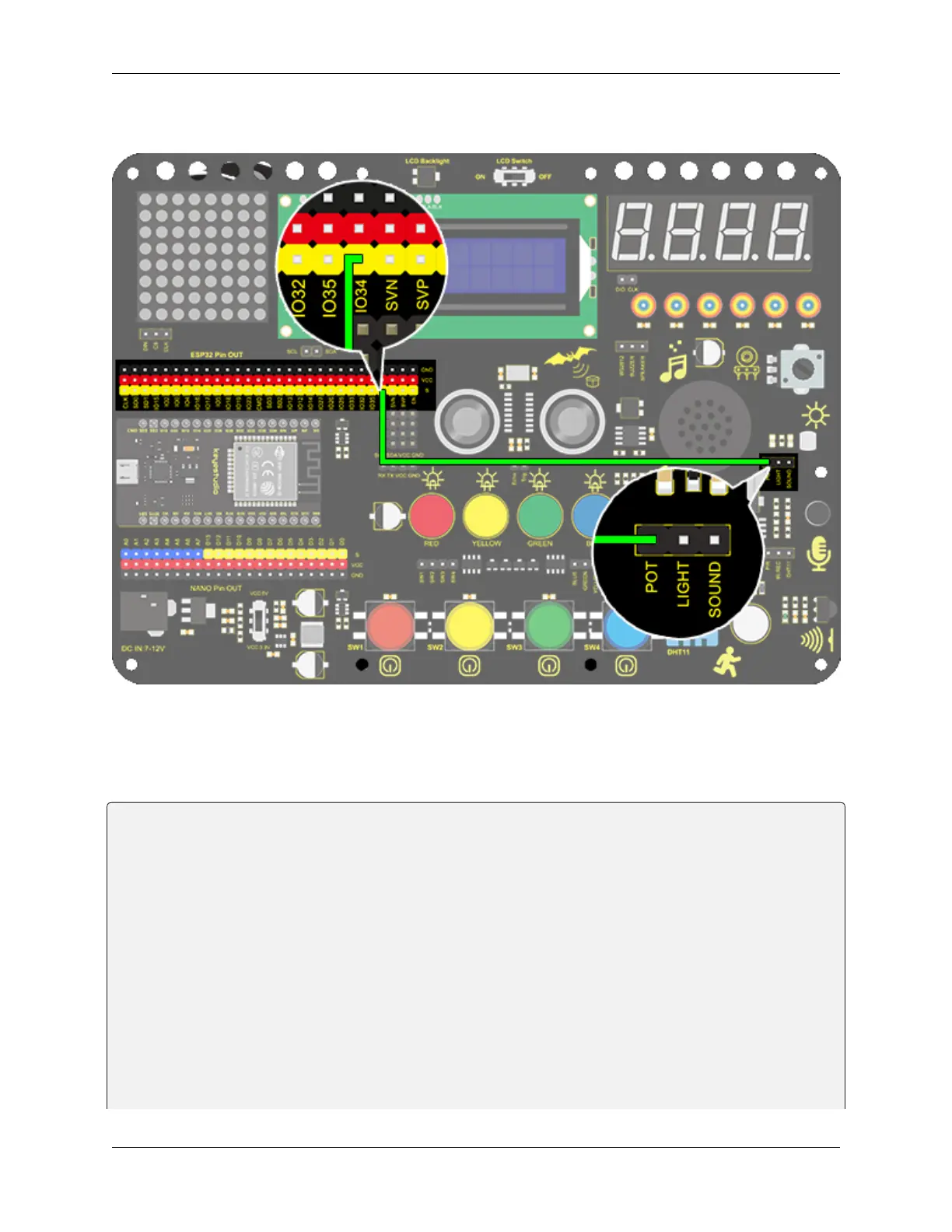
3. Wiring Diagram
4. Test Code
Here we adopts analogRead(Pin) to read the analog value. Input the analog pin number connecting with the sensor into
this function, and the analog value can be read.
/*
keyestudio ESP32 Inventor Learning Kit
Project 19.1 Dimming Lamp
http://www.keyestudio.com
*/
int pot = 34; //Define variable pot to IO34
void setup() {
// put your setup code here, to run once:
Serial.begin(9600); //Set baud rate to 9600
}
void loop() {
// put your main code here, to run repeatedly:
int value = analogRead(pot); //Read io34 and assign it to the variable value
Serial.println(value); //Print the variable value and wrap it around
delay(200);
(continues on next page)
114 Chapter 8. Arduino Tutorial



 To Next Page