ESP32 Starter Kit
3. Test Code
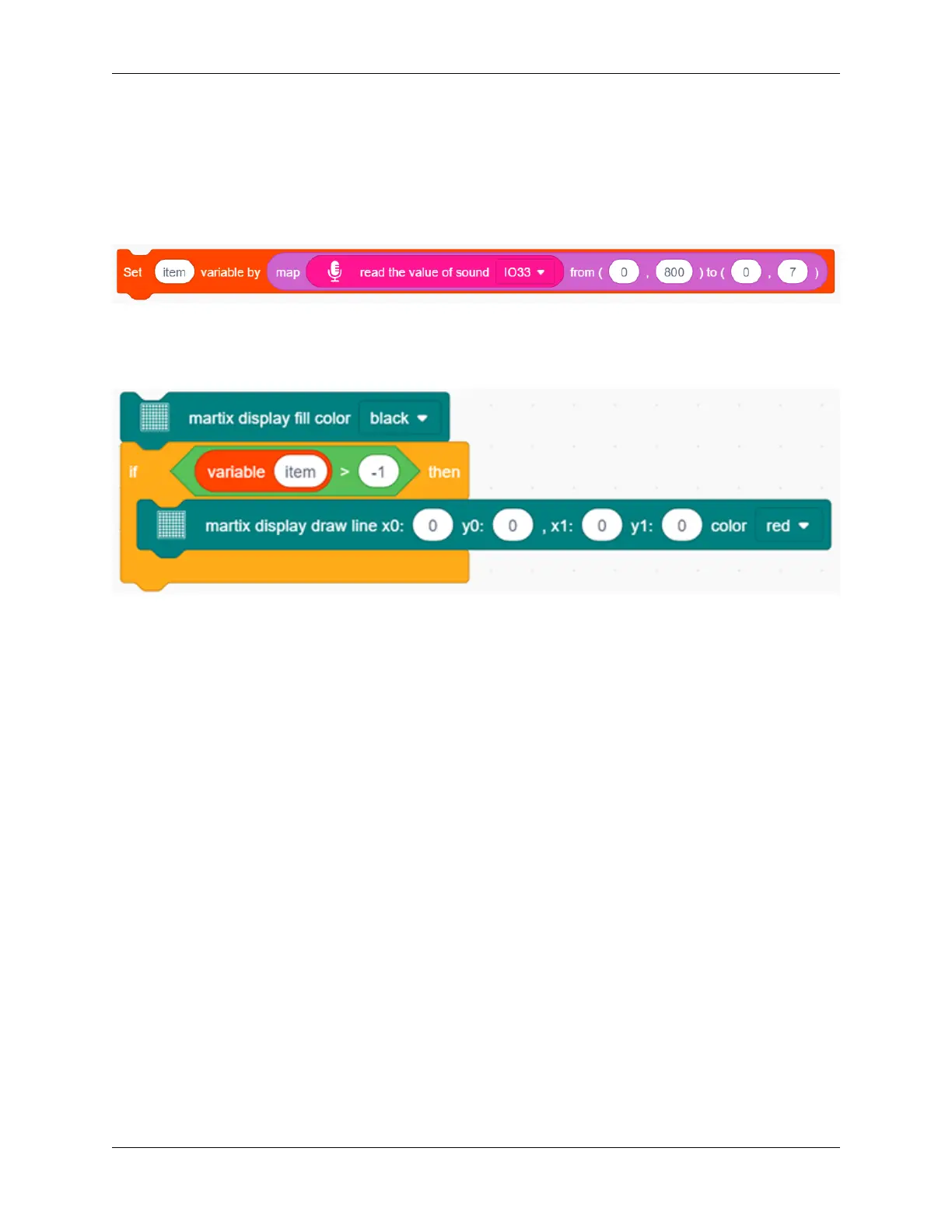
1. Drag the basic blocks and initialize the display. Set the pin CS to IO15 and brightness to 3. Then add a variable
block and select int and name it as “item” with an initial assignment of 0.
2. Add a variable block and name it as “item”. Adopt a map function to convert the read sound value range from
0-4095 to 0-7, yet the hypothesis maximum value of sound is 800.
3. Clear the display.
4. Program a condition. If the variable item is greater than -1, the dot matrix displays (x0:0 y0:0 x1:1 y1:0) in color
of red.
5. Repeat step 4, but the judgment is whether item is greater than 0. If so, dots at (x0:1 y0:0 x1:1 y1:1) will light
up. By that analogy, build code blocks referring to the following coordinates.
6. Finally, refresh the display.
Reference Coordinates:
286 Chapter 9. Scratch Tutorial



 To Next Page