ESP32 Starter Kit
6. Code Explanation
#include <LiquidCrystal_I2C.h> #include is a “include” command of libraries, so we can recall functions in file.h.
LiquidCrystal_I2C lcd(0x27,16,2); Define an LCD. 0x27 is its IIC address, and 16 means the number of
columns(display 16 characters in total), and 2 is the number of rows.
lcd.init(); Initialize LCD
lcd.backlight(); Turn on LCD backlight, which clarifies the displayed characters.
lcd.setCursor(3,0); Set the display position. (3,0) indicates the the beginning of column 3, row 0.
lcd.print(“Hello, world!”); Define the displayed characters. Enclose the strings in quotation marks, for instance,
lcd.print(“Hello, world!”). The marks can be omitted if displaying one value, for example, lcd.print(value).
8.5.13 Project 12: Servo
1. Description
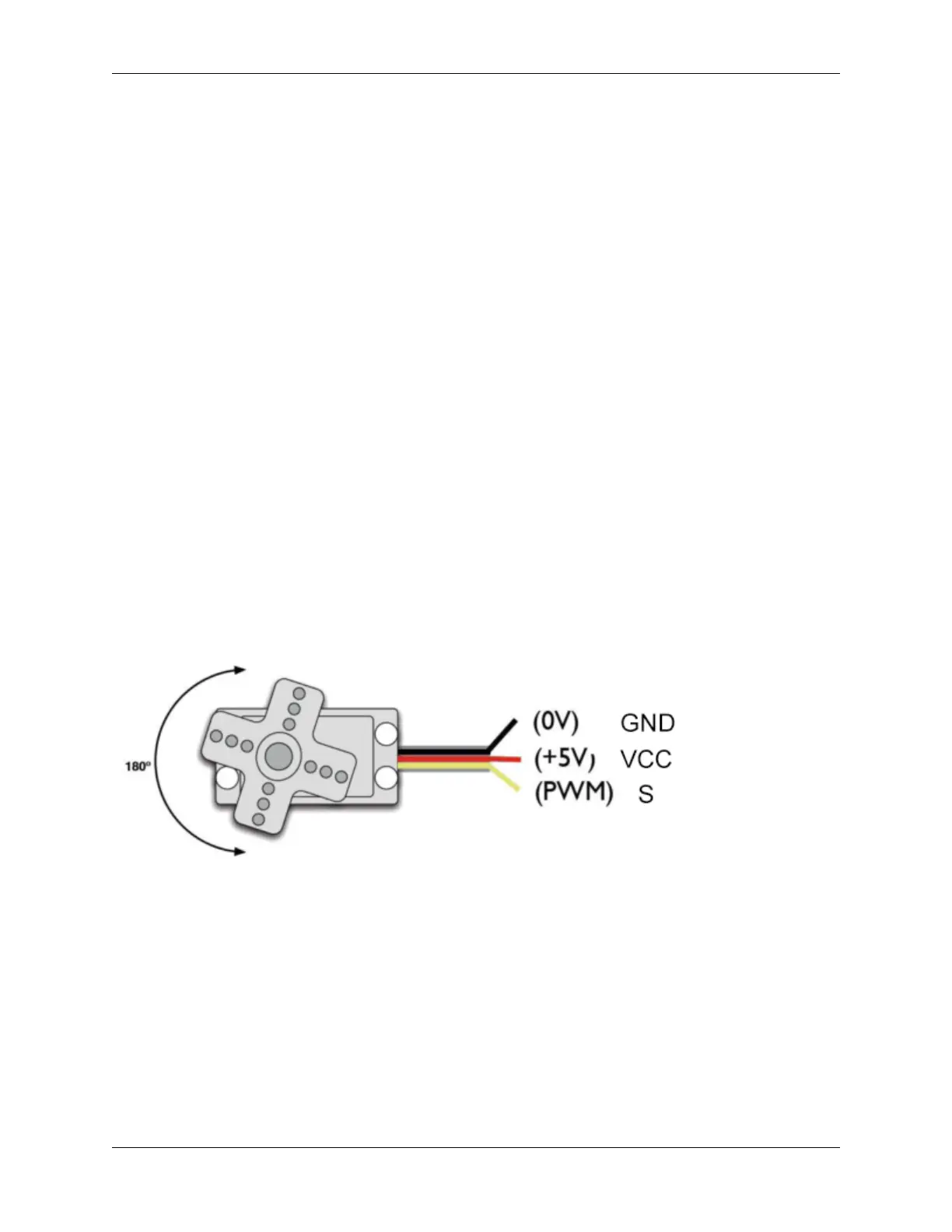
This servo features high performance and high precision with a maximum rotation angle of 180°. Weighting only 9g,
it is perfectly suitable for any mini device in multiple occasions. What’s more, it enjoys short startup time, low noise
and strong stability.
2. Working Principle
Angle range: 180° (360°, 180° and 90°)
Drive voltage: 3.3V or 5V
Pin: Three wires
GND: Grounded(brown)
VCC: A red pin that connects to a +5v (3.3V) power
S: A orange signal pin that controlled via PWM signal
84 Chapter 8. Arduino Tutorial



 To Next Page