ESP32 Starter Kit
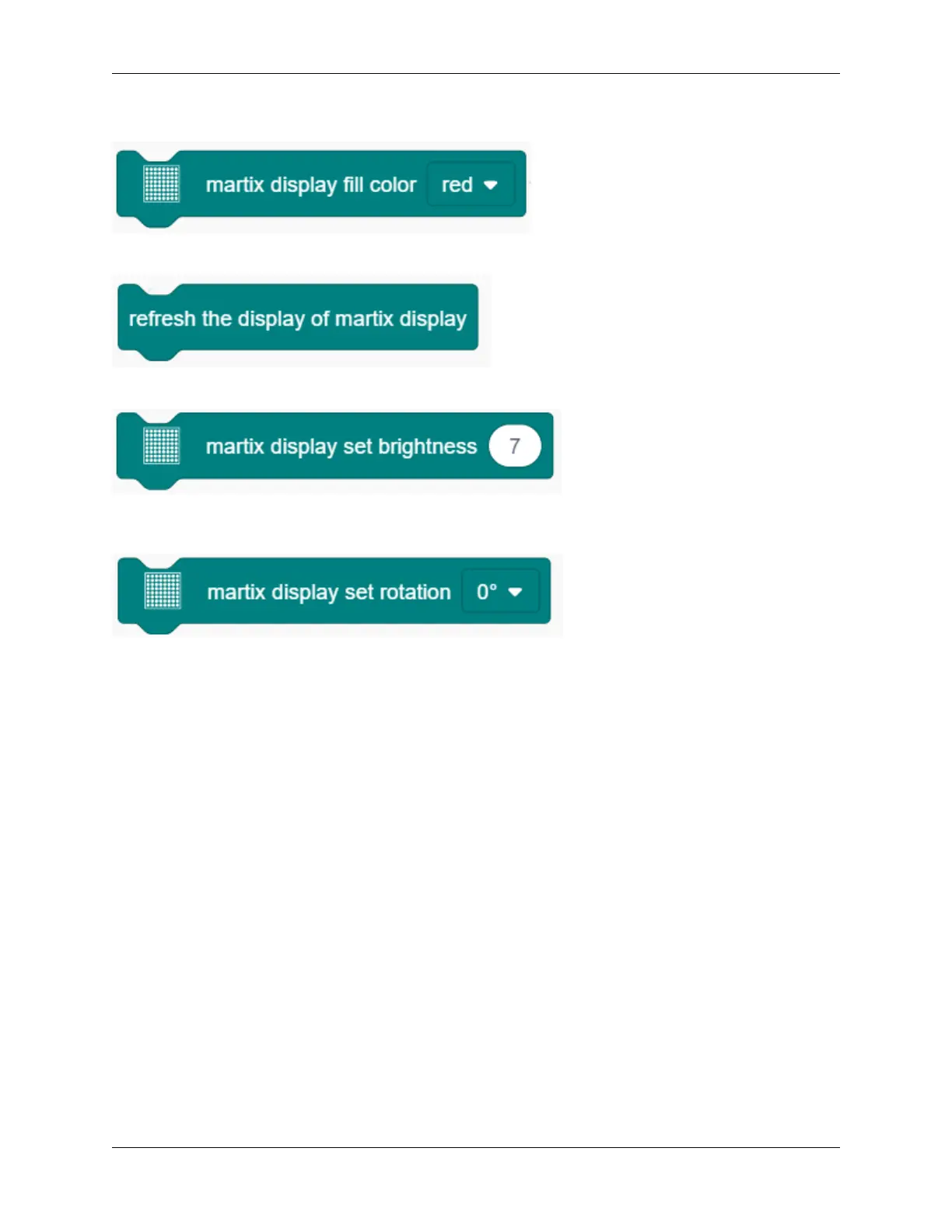
8. Display fill colors. You may set to black (LED goes off) or red(LED lights up).
9. Refresh the display. The dot matrix must be refreshed if it displays something. Or else, an error may occur.
10. Set the brightness. You can lower the brightness when debugging to avoid offending to your eyes.
11. Set rotation angles. For high compatibility with more code, some data and icons need a rotation with the
avoidence of inverted display. That is why a “rotation 180°” block is necessary in codes.
9.2.14 Project 11: LCD
1. Description
Arduino I2C 1602 LCD is a commonly-used auxiliary device for MCU development board to connect with external
sensors and modules. It features a 16-bit wide character, 2-line LCD screen and adjustable brightness. This programable
module is convenient for data editing, display and management . Besides, it can display not only characters and figures
but sensors value, like temperature, humidity or pressure value.
As a result of its usability, the display is wildly applied in many fields, including smart home products, industrial
monitoring systems, robot control systems and automotive electronics systems.
9.2. Scratch Project 217



 To Next Page