ESP32 Starter Kit
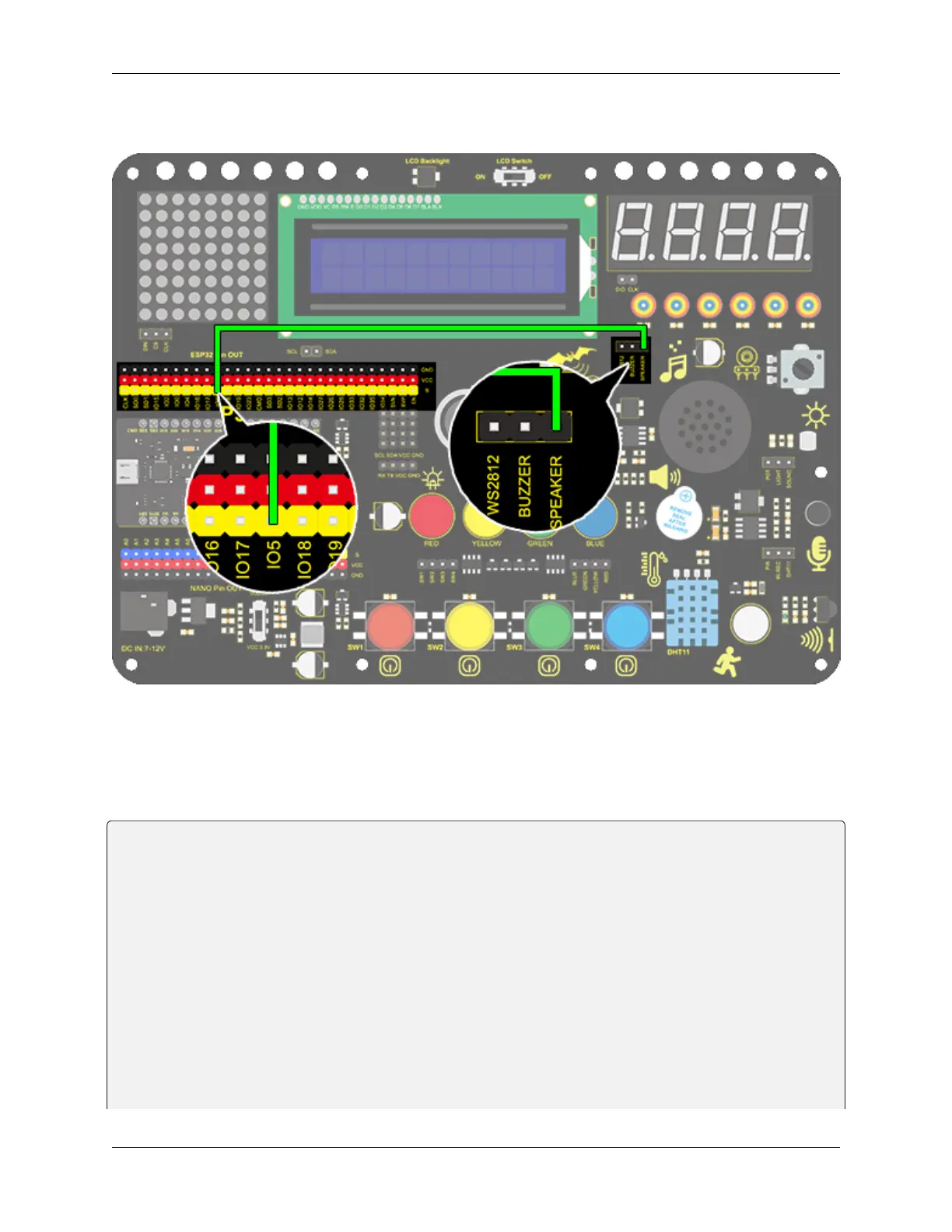
3. Wiring Diagram
4. Test Code
According to the comparison table, we set a pin to output mode. And we use function “tong(Pin , frequency);” to
generate square waves in certain frequency to emit corresponding sound. Finally, the notes will be output after adding
a delay time.
/*
keyestudio ESP32 Inventor Learning Kit
Project 8.1 Music Performer
http://www.keyestudio.com
*/
int beeppin = 5; //Define the speaker pin to IO5
void setup() {
pinMode(beeppin, OUTPUT);//Define the IO5 port to output mode
}
void loop() {
tone(beeppin, 262);//Flat DO plays 500ms
delay(500);
tone(beeppin, 294);//Flat Re plays 500ms
delay(500);
(continues on next page)
66 Chapter 8. Arduino Tutorial



 To Next Page