ESP32 Starter Kit
4.Test Result
After uploading the code, LED respectively blinks for 3 times quickly and slowly.
9.2.7 Project 4: Traffic Light
1. Description
The traffic light module is a device used to control the route of pedestrians and vehicles. It includes a red, a yellow and
a green light, which implies different instructions.
Red for Stop: Pedestrians and vehicles stop proceeding. Yellow for Caution: Pedestrians and vehicles are ready for
stopping. If the drive is already in process, the speed should be slow. Green for Proceed: Pedestrians and vehicles
keep going with the abidance of traffic regulations.
In this project, you can use Arduino to write code to control traffic lights. For instance, set the duration of each lights
and the interval time among them. Besides, you may also add a timer to alter light colors to schedule.
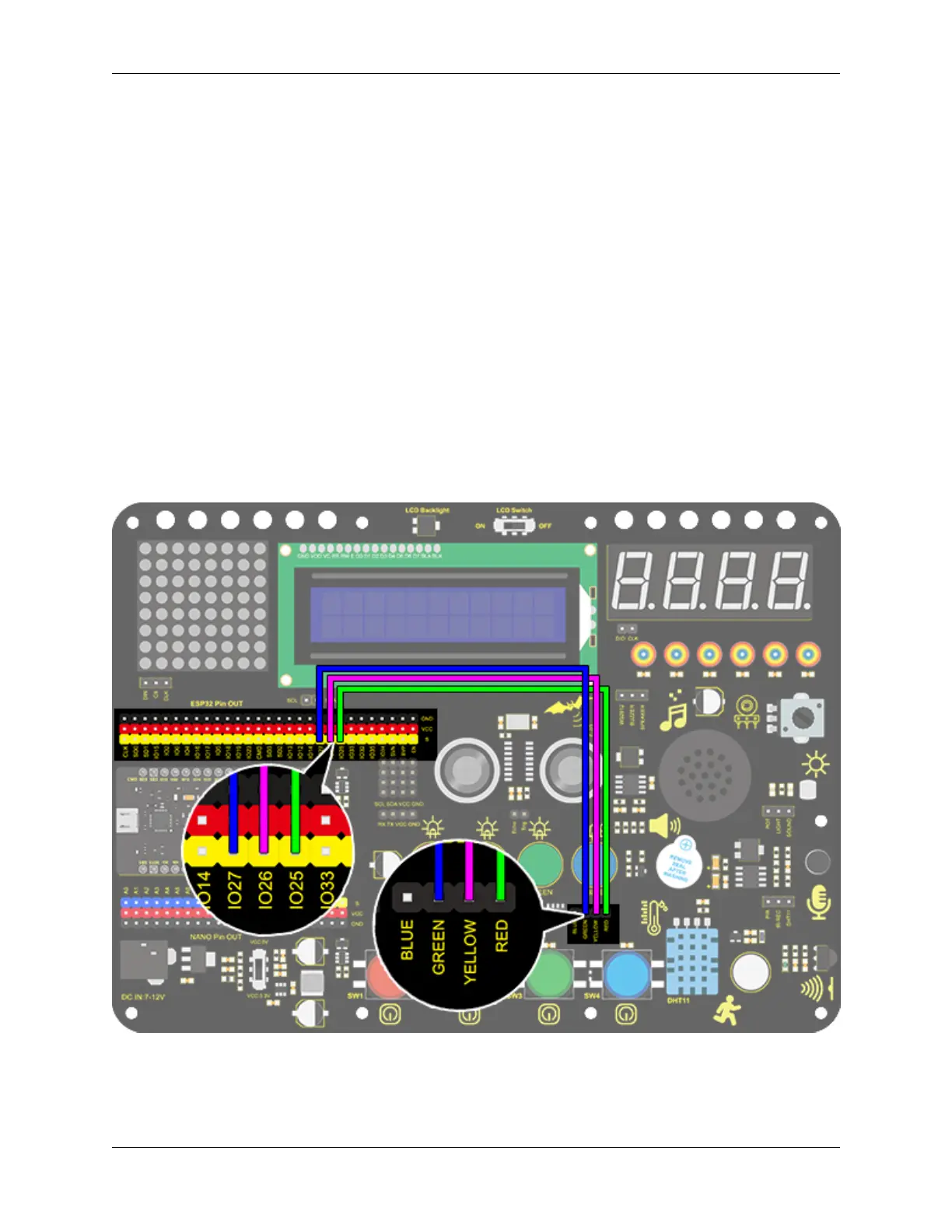
2. Wiring Diagram
9.2. Scratch Project 181



 To Next Page