ESP32 Starter Kit
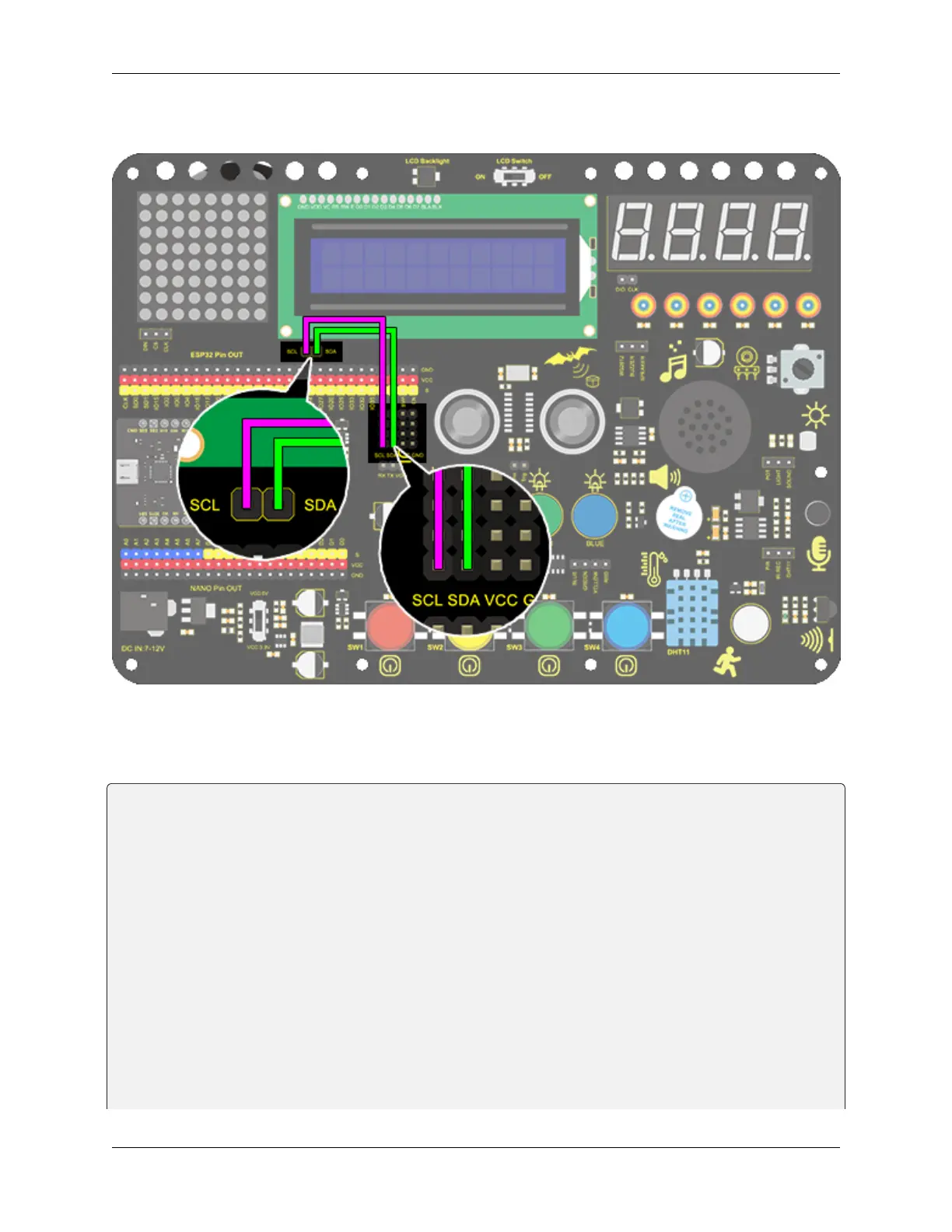
3. Wiring Diagram
4. Test Code
Add libraries to Arduino IDE first.
/*
keyestudio ESP32 Inventor Learning Kit
Project 11 LCD
http://www.keyestudio.com
*/
#include <Wire.h>
#include <LiquidCrystal_I2C.h>
LiquidCrystal_I2C lcd(0x27,16,2); // set the LCD address to 0x27 for a 16 chars and 2␣
˓→line display
void setup()
{
lcd.init(); // initialize the lcd
// Print a message to the LCD.
lcd.backlight(); //Turn on the LCD backlight
lcd.setCursor(2,0); //Set the display position
lcd.print("Hello,world!"); //LCD displays "Hello, world!"
lcd.setCursor(2,1);
(continues on next page)
82 Chapter 8. Arduino Tutorial



 To Next Page