ESP32 Starter Kit
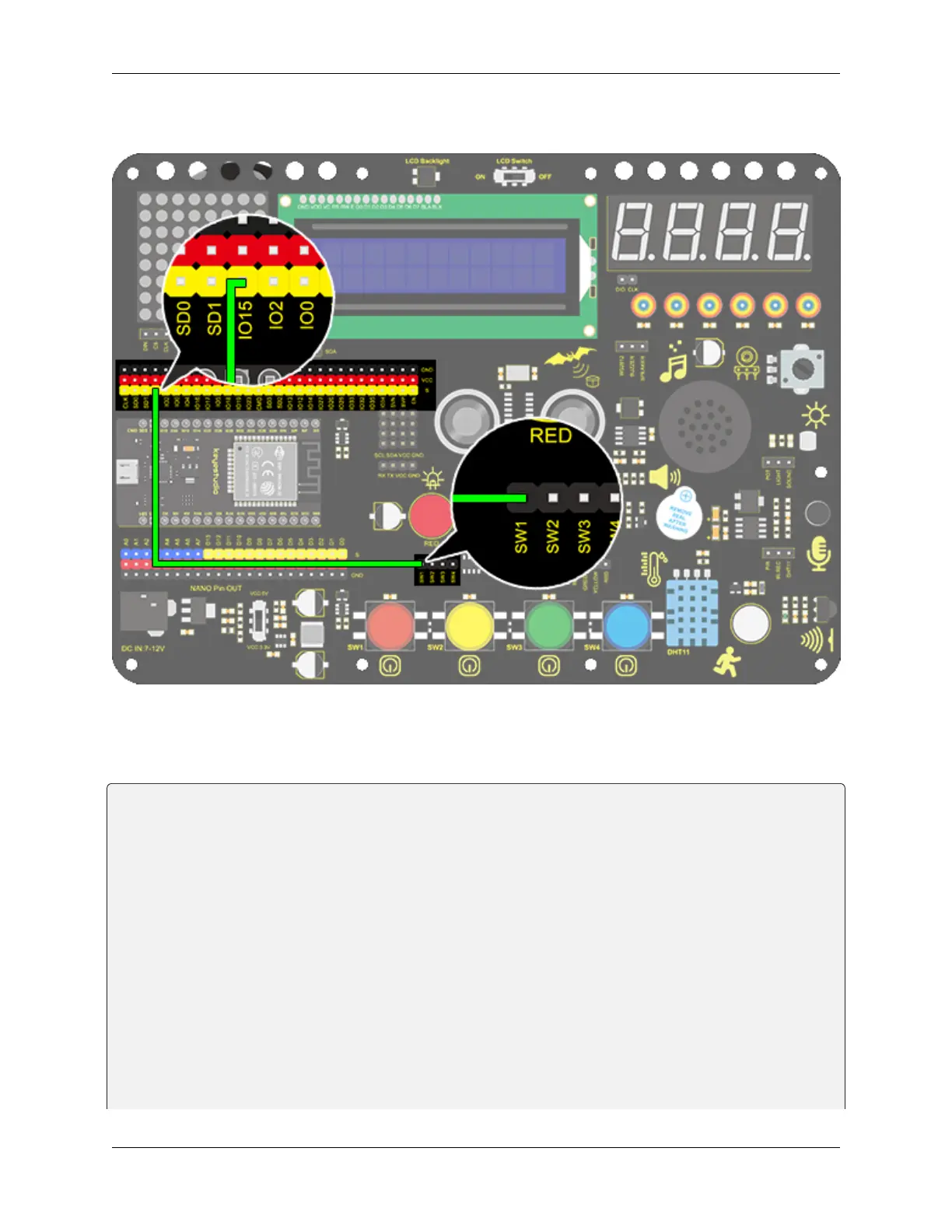
3. Wiring Diagram
4. Test Code
We can read the pin voltage value via “digitalRead(Pin)”, 1 for high and 0 for low.
/*
keyestudio ESP32 Inventor Learning Kit
Project 13.1 Mini Lamp
http://www.keyestudio.com
*/
int button = 15;
int value = 0;
void setup() {
Serial.begin(9600); //Set the serial baud rate to 9600
pinMode(button, INPUT); //Connect the button pin to digital port 8 and set it to␣
˓→input mode.
}
void loop() {
value = digitalRead(button);//Read the button value
Serial.print("Key status:"); //Print "Key status:" on serial port
Serial.println(value); //Print the button variable on the serial port and wrapping␣
(continues on next page)
88 Chapter 8. Arduino Tutorial



 To Next Page